43 ARK-1124 User Manual
Chapter 3 BIOS Settings
– Serial Port
Enable or Disable Serial Port (COM).
– Change Settings
Select an optimal settings for Super IO Device.
– Choose Serial Port Mode
Change the Serial Port Mode.
– RS485 AUTO FLOW
Enable or Disable RS485 AUTO FLOW
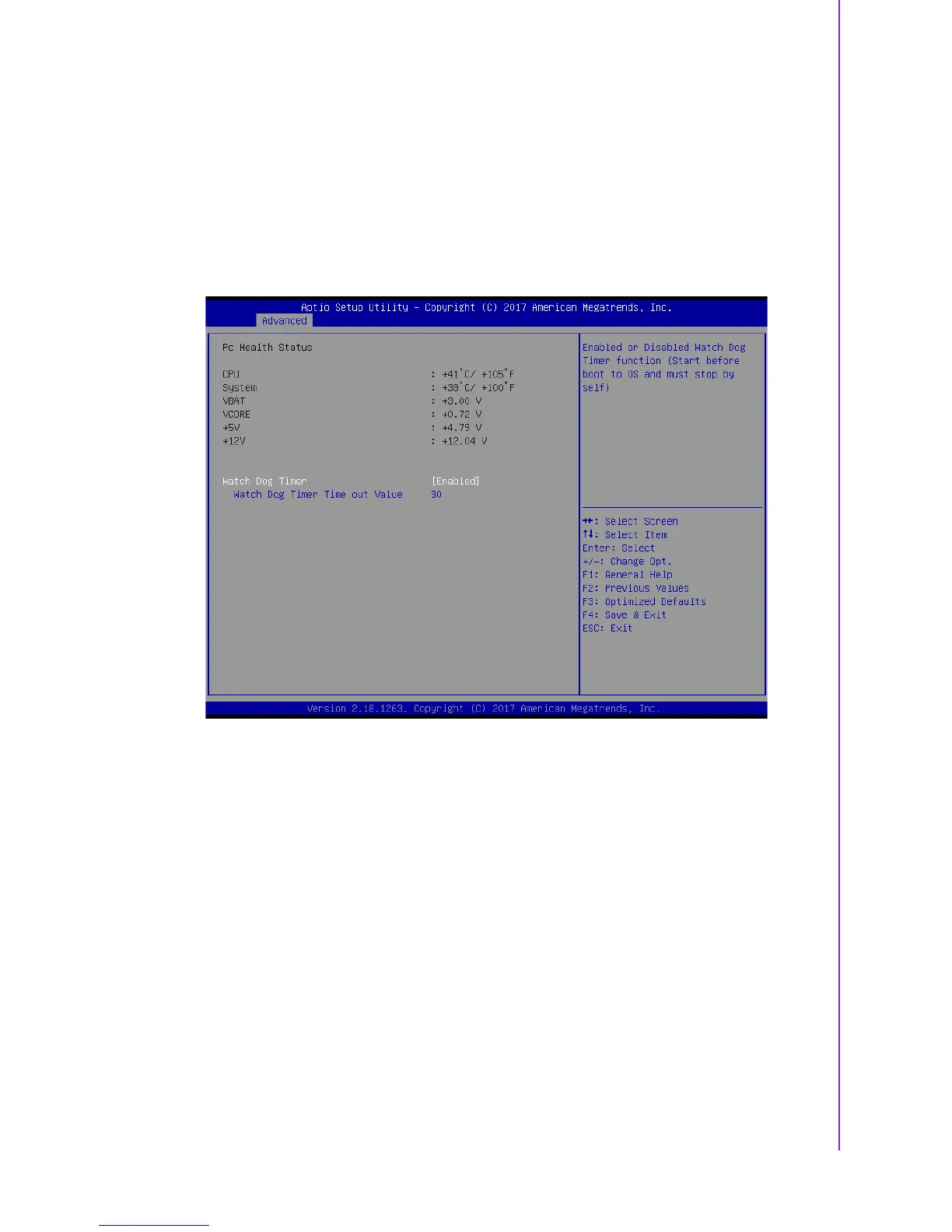
3.2.2.4 Hardware Monitor
Pc Health Status
This page displays all the information about system Temperature/Voltage.
Watch Dog Timer
Enabled or Disabled Watch Dog Timer function (Start before boot to OS and
must stop by self).















 To Next Page