PCIE-1816_1816H User Manual 12
Configuring the Device
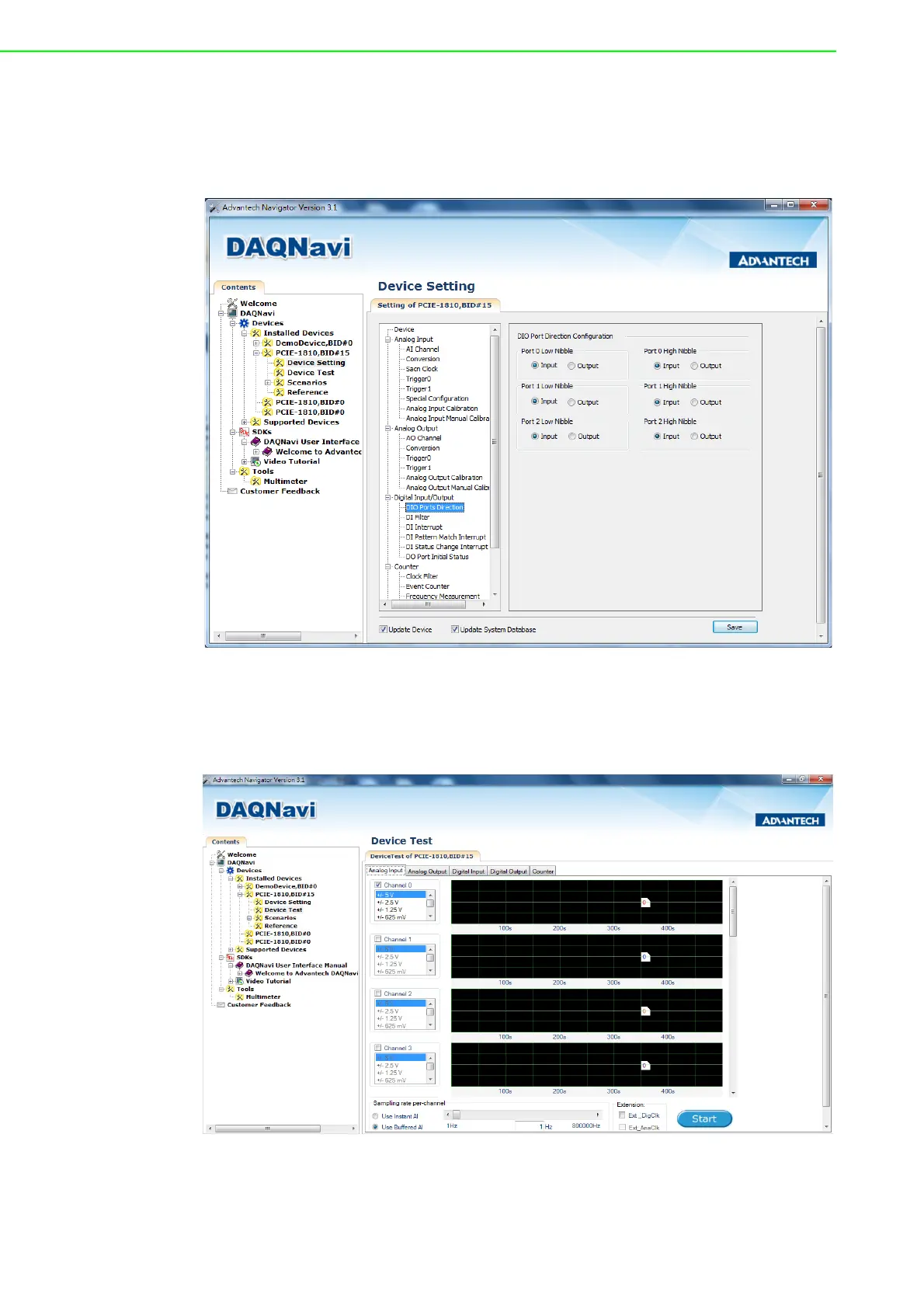
3. Please go to the Device Setting to configure your device. Here you can config-
ure not only the Analog Input/Output of PCIE-1816/1816H but also Digital Input/
Output.
Figure 2.4 The Device Setting page
4. After your card is properly installed and configured, you can go to the Device
Test page to test your hardware by using the testing utility supplied.
Figure 2.5 The Device Testing of PCIE-1816/1816H
For more detailed information, please refer to the DAQNavi SDK Manual or the User
Interface Manual in the Advantech Navigator.



 To Next Page