(4) Press [°««] to light the lamp within the switch. Turn the MASK TIME
control to see that the display changes approximately 100 /is to 100 ms.
Press [T«« 1 to deactivate the masking function.
(3) Press 1 to light the lamp within the switch;the GATE lamp goes off.
(6) Press RESET; the GATE lamp blinks once.
(7) Press 1 to release the hold; the GATE lamp starts blinking again.
3-3-2. Error Messages
An error message is displayed when an error is found during self-diagnostics
and when an arithmetic operation or data setting error is found. A self
diagnostics error message is displayed for about 2 seconds, and the operation
shifts to CHECK (some errors may cause it inoperative). When an arithmetic
operation or data setting error message is displayed, the operation stops.
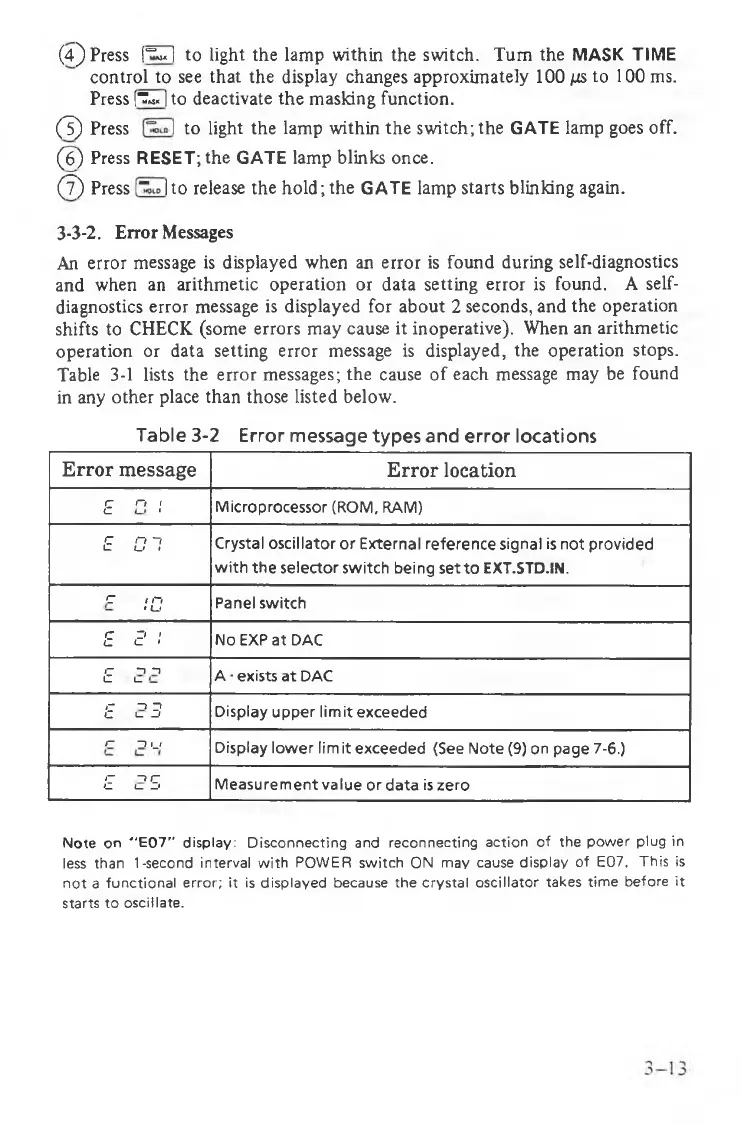
Table 3-1 lists the error messages; the cause of each message may be found
in any other place than those listed below.
Table 3-2 Error message types and error locations
Error message
Error location
c o I
L. «
Microprocessor (ROM, RAM)
£ 01
Crystal oscillator or External reference signal is not provided
with the selector switch being setto EXT.STD.IN.
C / n
' u
Panel switch
r D •
c <_ *
No EXP at DAC
r- n n
C L_
A • exists at DAC
»- n z>
C I
---
f
Display upper limit exceeded
r- n ii
”
Display lower limit exceeded (See Note (9) on page 7-6.)
i - n c
c <
____
i
Measurement value or data is zero
Note on "E07" display: Disconnecting and reconnecting action of the power plug in
less than 1-second interval with POWER switch ON may cause display of E07. This is
not a functional error; it is displayed because the crystal oscillator takes time before it
starts to oscillate.



 To Next Page