8 AI-5620 User Guide
A remote control feature of TRsSim supports accepting commands from a remote
application via a TCP/IP connection. This allows another application located on the same
PC, or located on a different PC, to control the TRsSim software. By using this ability, a
wide range of testing applications may be created that incorporates additional equipment
not controlled from the TRsSim software.
To assist in development, a Windows DLL and a .NET assembly are available for
abstracting the TCP/IP connection and low level commands. The .NET assembly allows
applications to be developed from within Microsoft's Visual Studio IDE. The DLL,
.NET assembly, and .NET example program are available for download from our web
site:
http://www.adventinstruments.com
2.2 Controlling the AI-5620
When the TRsSim software connects to an AI-5620, it creates a window containing a
wide range of controls for determining its operation and viewing collected data. The
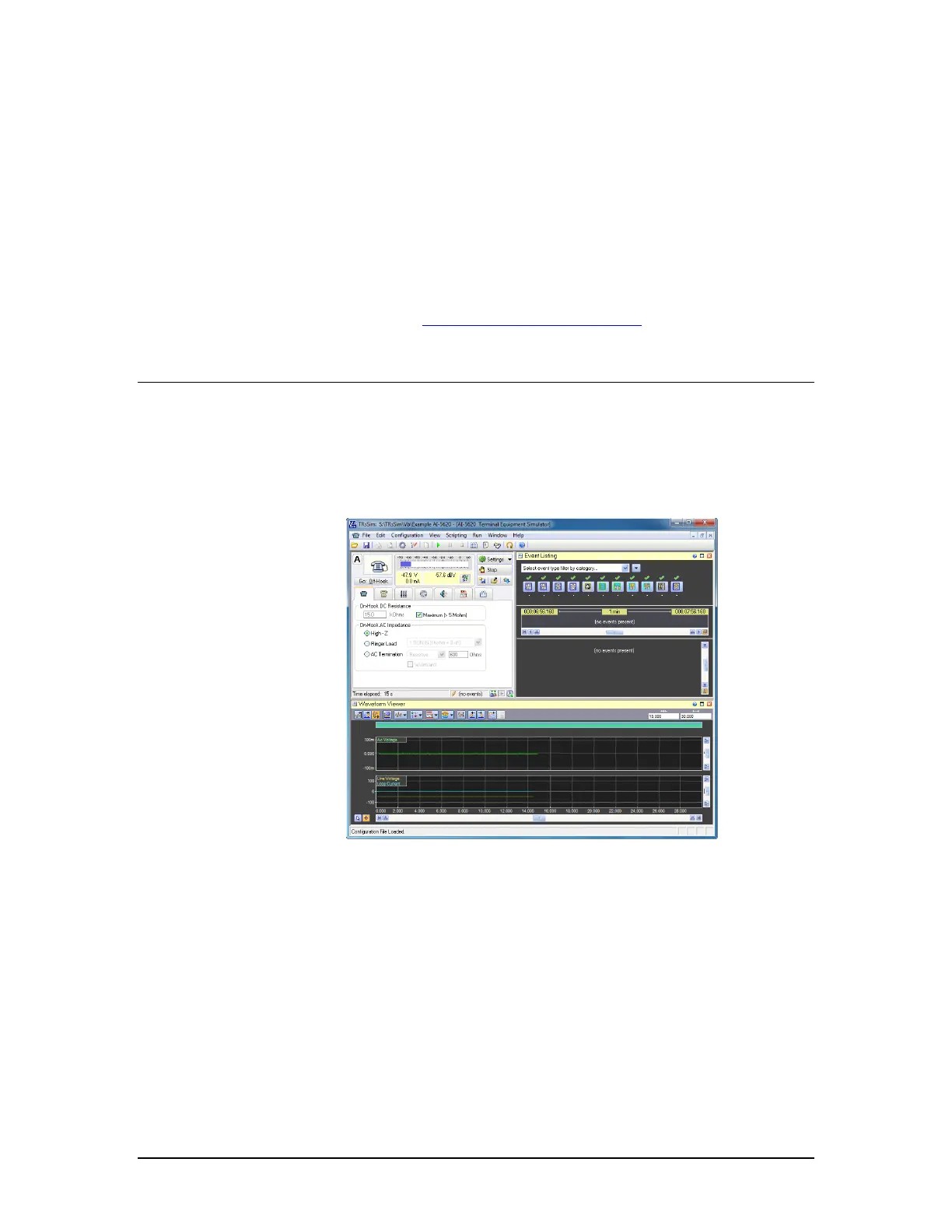
following figure shows an example of this window.
The window is itself divided into sub-regions, termed 'views'. In the example above three
views are present. They are the 'Status & Action' view located in the top left corner, the
'Event Listing' shown in the top right corner, and the 'Waveform Viewer' located along
the bottom of the window.
The 'Status & Action' view is always visible and always located at the top left corner of
the window. It continually displays the AI-5620's line state, DC line voltage, DC loop
current, and AC RMS level. This provides a quick means for identifying the current
conditions on the telephone line. The remainder of the view contains a number of
controls for adjusting the line characteristics and performing actions. For example, to
take the AI-5620 off-hook, simply click the button labeled 'Go Off-Hook'. The various
tabs below this button display settings for the on-hook state, off-hook state, DTMF
dialing, pulse dialing, tone generation, and measurement actions.



 To Next Page