AD Series Dehumidifying Dryers Page 43
Control Operation 6
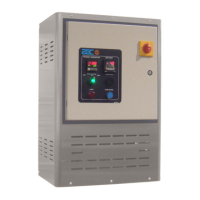
6-1 Controller Operation
(Without Optional Alarm Horn & Reset Button)
1.) Turn the disconnect on the control panel to the ON position.
Power is applied to the voltage line fuses, line side of the
control power switch and the temperature controller.
2.) Turn the control power switch to the ON position. Power is
applied to the programmable relay and dew point controller.
The valve will move to the start position as follows:
2-1. The valve motor rotates until the cam switch makes 2
transitions.
2-2. If the cam switch does not make a transition within 10
seconds, a valve motor fault is generated. “VALVE
MTR” is displayed on the relay screen, the alarm light
is activated. The valve motor, heaters, and blower shut
off.
To restart the dryer, cycle control power to deactivate
the alarm light and restart the valve motor sequence.
Note: The relay screen which contains the Alarm Display Messages is
located inside the controller enclosure. For a list of Alarm Display
Messages, see Section 6-3 on Page 49.
WARNING!
Do not attempt to check the Alarms on the Controller
located within the unit enclosure unless you are a qualified
electrician!
2-3. The valve will normally complete one full cycle
(revolution).
2-3-1 The bed in process at power-down will
remain in process.
2-3-2 The bed in regeneration at power-down will
remain in regeneration.
2-3-3 The regeneration timing cycle will restart
from the beginning.



 To Next Page