Page 64 AD Series Dehumidifying Dryers
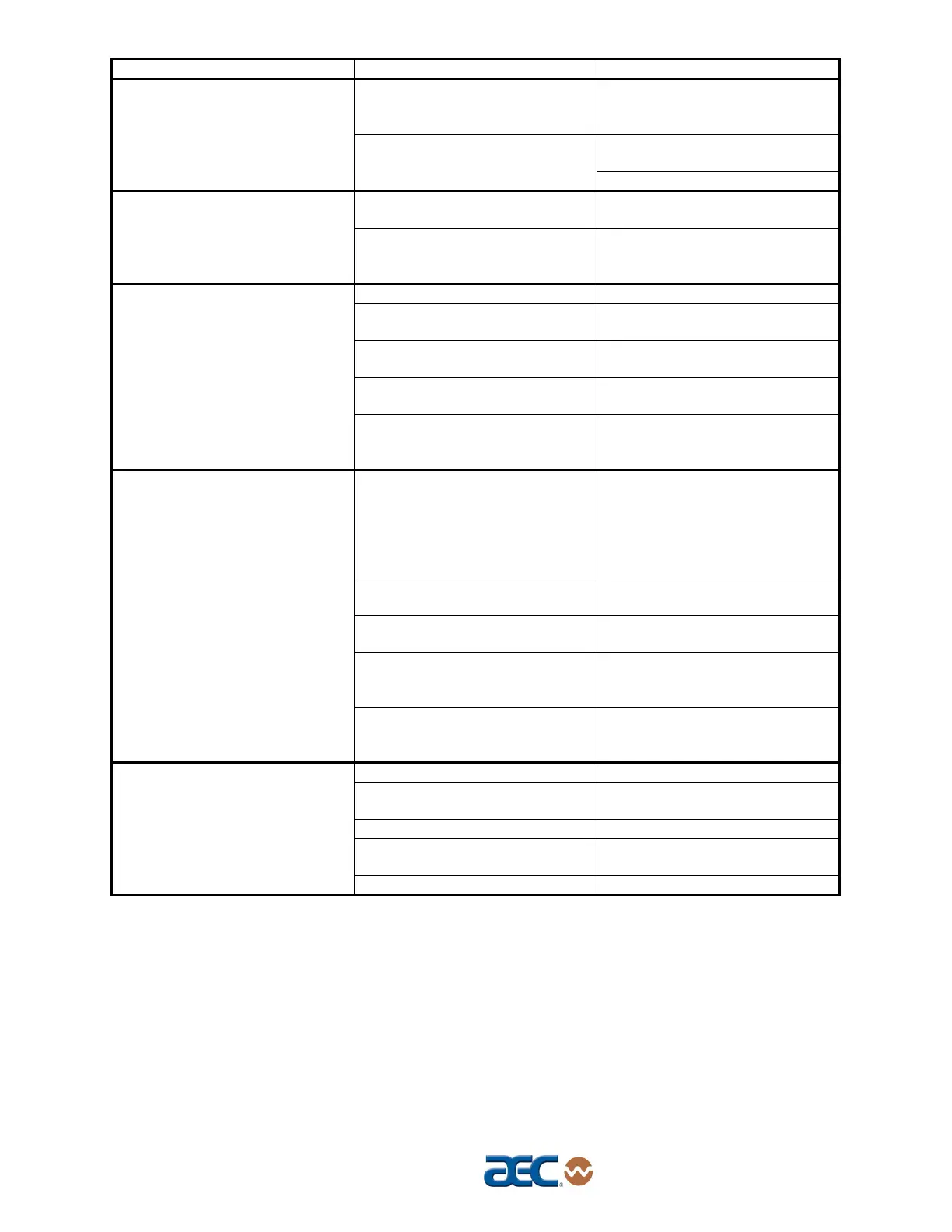
Problem Possible cause Corrective action
Airflow valve sticking or failing to
shift.
Check for proper operation of
valve actuators. Repair or
replace if necessary.
Remove blower side plate, clean
baffles, replace.
Loss or reduction in drying
capacity. (cont’d.)
Blower fins filled with dust or
contaminants.
Replace filter elements.
Insufficient power to PLC
(Power LED is off).
Check power supply and power
wiring to PLC.
PLC Regeneration Bed LED
indicators both off.
Faulty PLC (PLC Power light is
on, Run light is off, and/or Error
light is on).
Replace PLC.
Regenerating bed cooldown. None.
Blower Input indicator is off.
Verify that blower contactor is
on. Check input wiring to PLC.
Process air in high-temperature
condition.
None.
Insufficient power to PLC
(Power light is off).
Check power supply and power
wiring to PLC.
PLC Regeneration Heater
Left/Right output indicators both
off.
Faulty PLC (PLC Power light is
on, Run light is off, and/or Error
light is on).
Replace PLC.
Process temperature set too
high due to operator error.
Check resin manufacturer’s data
sheet for proper drying
temperature. Make sure plant
personnel are aware of the
correct process temperature set
point.
High temperature alarm not set
properly.
Reset high temperature alarm.
Process set point is out of
acceptable range.
Restore temperature controller
to factory pre-sets.
Function set for degrees Celsius
(ºC), set point at degrees
Fahrenheit (ºF).
Verify correct Celsius or
Fahrenheit settings.
Material in drying hopper cakes,
or meltdown occurs.
Process thermocouple not in
airflow.
Verify that the thermocouple is
properly installed in the inlet
tube.
Burned out regeneration heater. Repair or replace.
Contaminated or worn out
desiccant.
Replace.
Leaking process air hoses. Repair or replace.
Dryer operates beyond its
capacity.
Check dryer and drying hopper
sizing.
Poor dew point performance.
Bad dew point sensor. Replace.



 To Next Page