
 Need help?
Do you have a question about the Aeon Labs Aeotec and is the answer not in the manual?
Read manual carefully to avoid danger or legal issues. Use equipment as intended.
Explains Z-Wave protocol for Smart Home communication, its reliability, and mesh networking.
Read manual before installing. Ensure device is in factory default state for inclusion.
Procedure to reset the device without a Z-Wave controller when primary controller is inoperable.
ATTENTION: Only authorized technicians should work with mains power. Switch off voltage network.
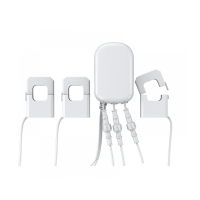
Steps to install the Home Energy Meter, including turning off the main breaker and connecting wires.
Illustrates the wiring diagram for the EU/AU version of the Home Energy Meter.
Describes the process of adding (Inclusion) or removing (Exclusion) devices from a Z-Wave network.
To include a device, push the button on the backside.
To exclude a device, push the button on the backside three times.
Defines settings for parameters 101, 102, and 103 related to automatic reporting flags.
Lists detailed parameter values for kWh, Watt, Voltage, Amperage, kVarh, kVar, and Reserved.
Configures the energy detection mode for the device.
Enables selective reporting based on power change to reduce network traffic.
Sets thresholds for automatic reports based on wattage changes for the whole device and clamps.
Sets percentage change thresholds for automatic reports on wattage.
Enables or disables reporting of CRC-16 Encapsulation Command.
Resets specific automatic reporting parameters.
Sets the report interval for automatic reporting for groups 1, 2, and 3.
Specifies the partner ID, indicating the product's origin or type.
Enables or disables the locking of configuration settings.
Initiates a factory reset for the device.
Provides key specifications like dimensions, weight, hardware, voltage, load, and firmware versions.
Lists the Z-Wave command classes supported by the device.
Defines roles like Controller, Slave, and Primary Controller in a Z-Wave network.
Explains Inclusion, Exclusion, Association, Wakeup Notification, and Node Information Frame.
Provides a link to download the optimized user manual.
Links to Z-Wave Europe resources and related automation topics.
Lists other Aeotec product manuals for reference.
 General
| Brand | Aeon Labs |
|---|---|
| Model | Aeotec |
| Category | Security System |
| Language | English |


 To Next Page

