52
4454C EN 2013-05-14Reading an emergency image plate
CR 35-X DIGITIZER
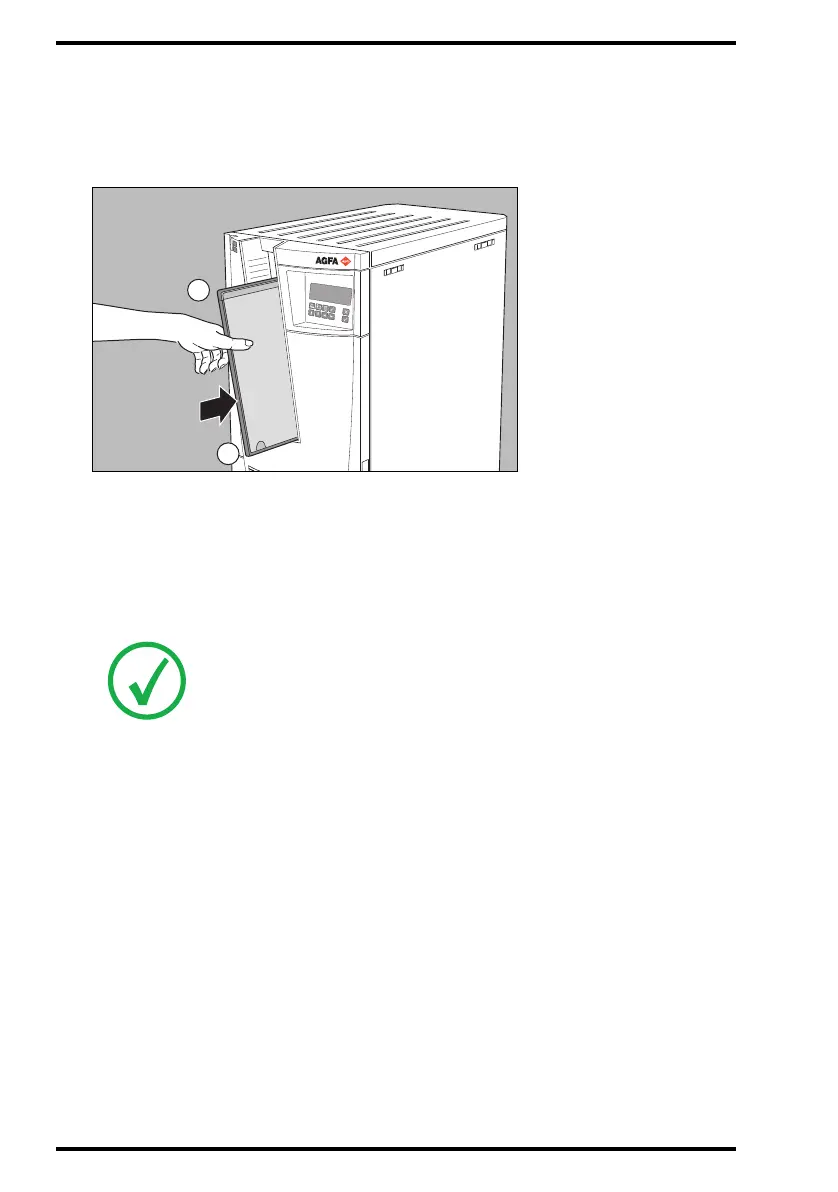
3 Insert the cassette containing the emergency image plate into the cassette slot
as shown below.
Make sure to insert the cassette with the hinge [1] at the top and the locking
mechanism [2] at the bottom.
The image plate will be digitized using the speed class, i.e. the sensitivity, corre-
sponding to the emergency button as defined during configuration.
When the CR 35-X has treated the emergency image plate, it displays the operator
main screen. The
digital image data are transmitted to the image processing station
accompanied by default ID data. The image processing station will give the emer-
gency image priority over the other images in the image processing queue.
4 Remove the cassette from the cassette slot.
Note: If you do not enter a cassette within 15 seconds after pressing the
emergency button, the CR 35-X will quit the emergency button function and
return to the operator main screen.
Note: To change the speed class corresponding to the emergency button,
contact your local service organization.



 To Next Page