19
2241A EN 20040210
The display
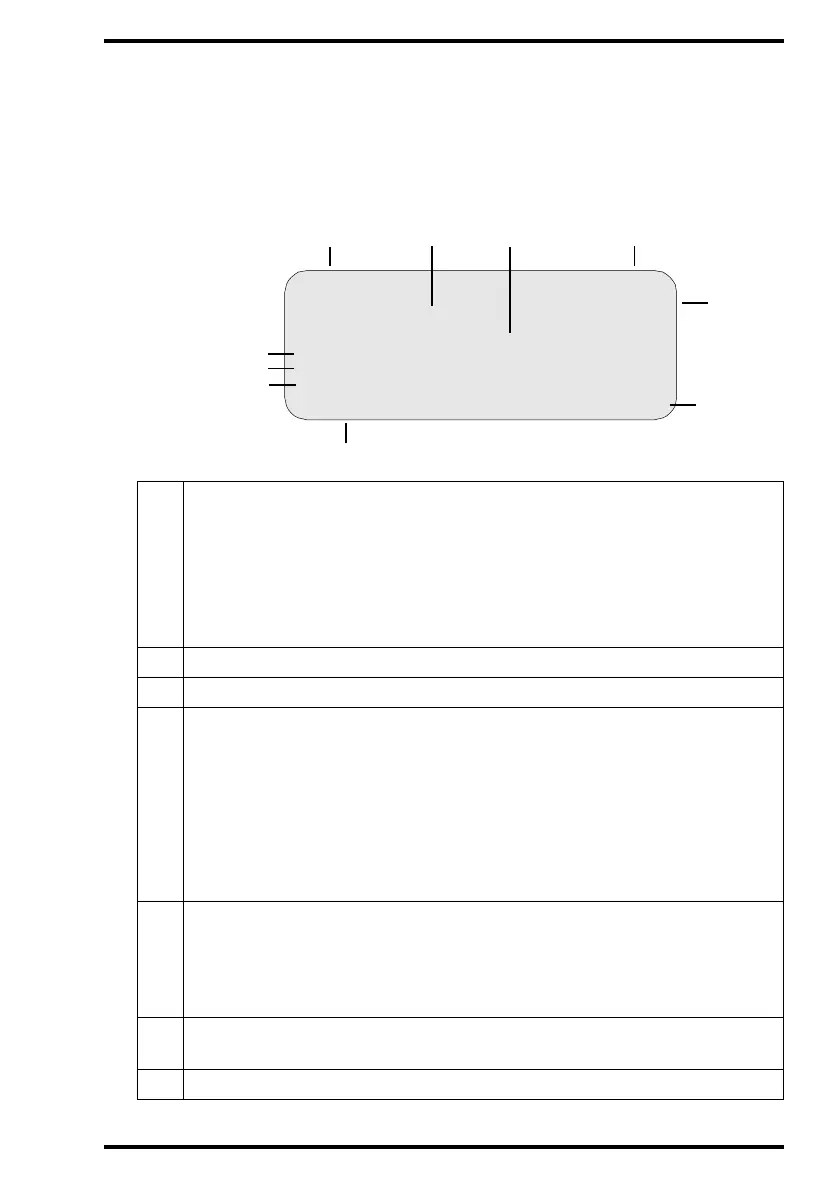
The CR 75.0 control panel has a backlit LCD display with 8 lines of 40 char-
acters each. Its lay-out depends on the operating mode.
" In operator mode, the display has dedicated areas for specific information:
1
Set-up of image processing station:
• [blank]: Default image processing station selected.
• Off line: Transmission to all image processing stations disabled.
• [process.station] not ready: Image processing station not available.
• [process.station] rerouted: Images rerouted to other image processing
station.
2 Type of message
3 Extra comment or action to take
4 System status:
• READY: The CR 75.0 is ready for operation.
• BUSY: The CR 75.0 is busy with scanning or erasing.
• ERROR: An error has occurred. Refer to Chapter 4, ‘Preventive
maintenance and troubleshooting’.
• LOCKED: id.
• WARNING: id.
5
Operation mode:
• [blank]: Normal operation mode.
• EMERGENCY: Emergency function for image plates with ID data.
• ERASURE: Re-erasure function.
6
Error status: service code (SERVICE XXXXX) or error code (CODE
XXXXX)
7
Station name of the CR 75.0
3
1
Set-up STATUS
OPERATION MODE
1ST MESSAGE
2nd Message
Patient_Last_Name Sub_Exam
Patient_Last_Name Sub_Exam
Patient_Last_Name Sub_Exam
Station Name ERROR
5
6
8.1
8.2
8.3
1
24
7



 To Next Page