84
2241A EN 20040210
Clearing image plate jams
The CR 75.0 always reads and digitizes the plate first, then erases it and
feeds it to the output buffer. If a plate jam occurs before the plate is scanned,
there is a fair chance that you can recover the image by putting the image
plate back into the cassette and digitizing it again. While handling the image
plate, prevent exposing it to daylight as much as possible.
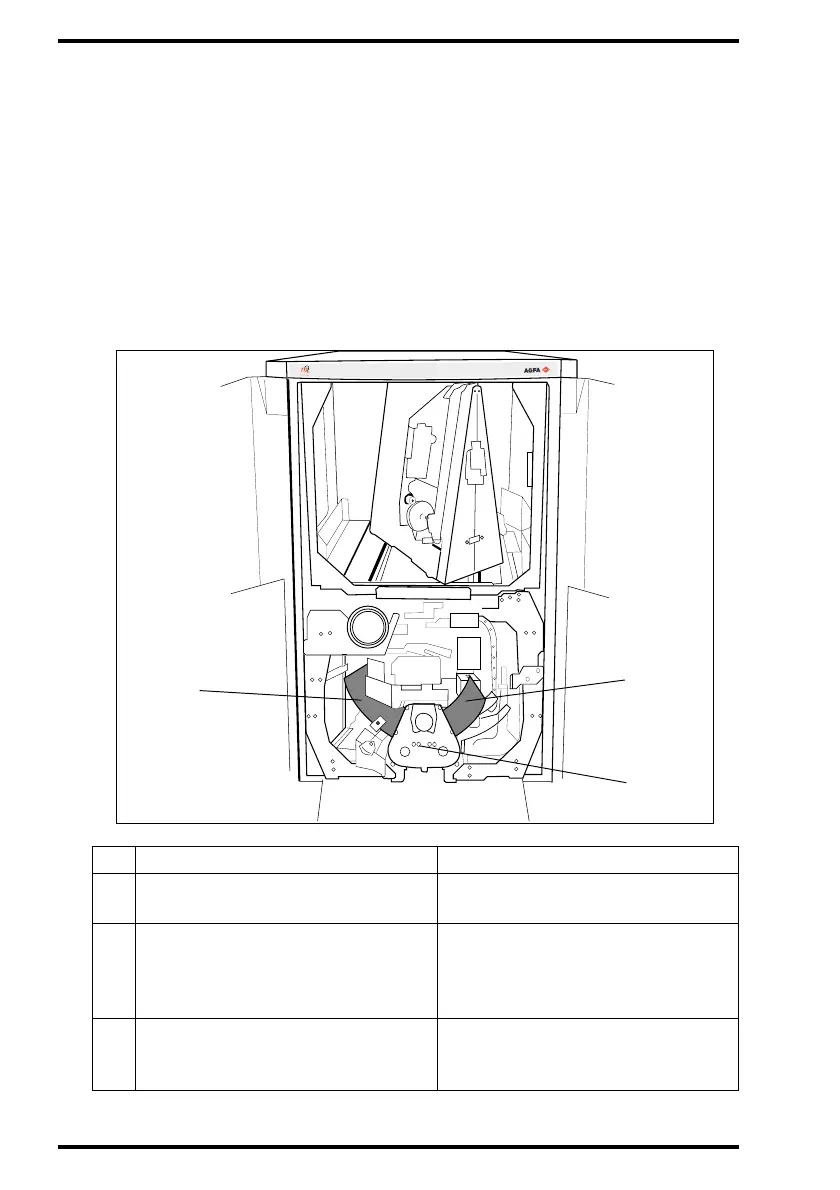
The diagram below shows the possible locations of a jammed image plate
and the probable status of the image.
Status Action
1
Plate jam in the post-scan unit.
Image is OK.
Erase the image plate.
2
Plate jam in the pre-scan unit.
Image plate is not erased but
cassette status is set to ‘erased’.
1 Re-identify cassette via ID
Station.
2 Digitize cassette.
3
Plate jam in the scanner. Cassette
status is set to ‘erased’. Image is
damaged.
1 Erase the image plate.
2 Redo the patient exam.
MUSICA
1
2
3



 To Next Page