64
2241A EN 20040210
Installing new customer parameters
Via this key-operator function you can copy new customer parameter files
(CPF-files) from a floppy disk to the hard disk of the CR 75.0 and activate the
new parameters.
# When an error occurs during installation, refer to Chapter 4, ‘Preventive
maintenance and troubleshooting’.
To install new customer parameters:
1 Check that the CR 75.0 is not scanning an image plate.
If the CR 75.0 is scanning an image plate, the status indicator at the top of the
machine is green and flashing.
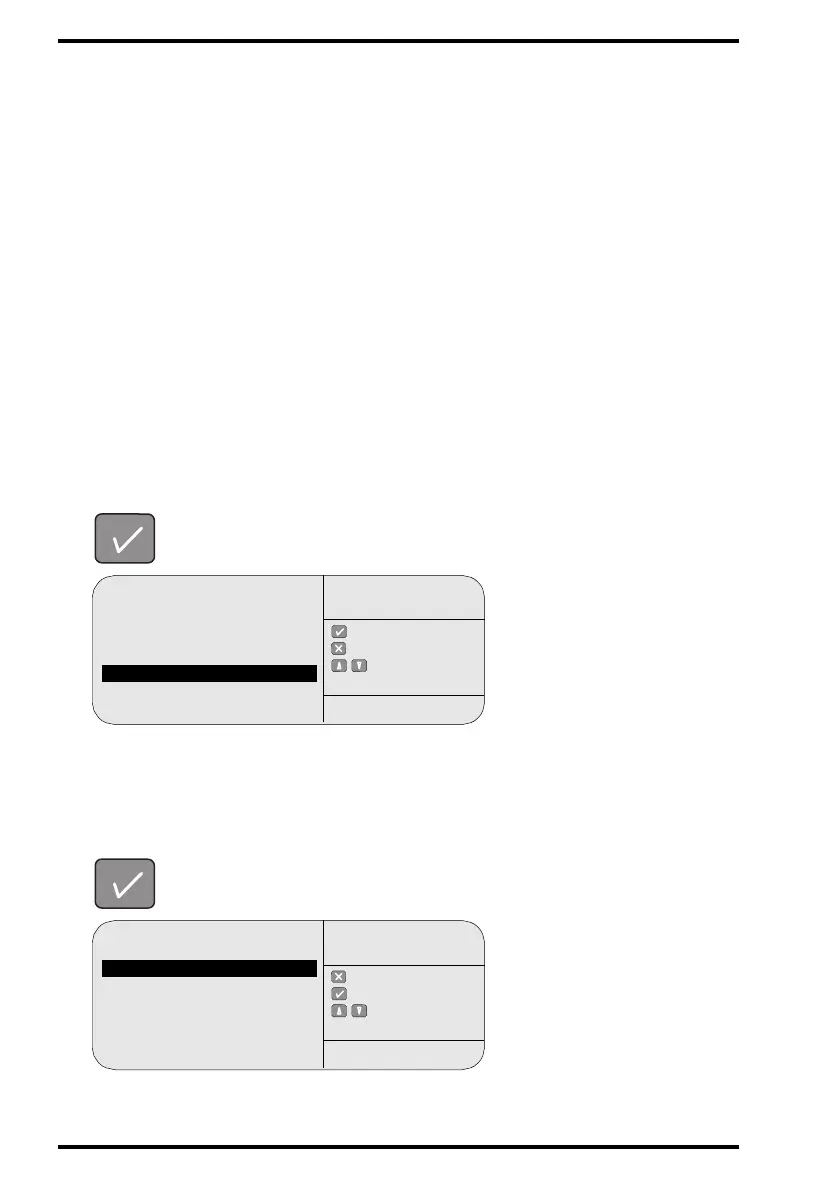
2 In the key-operator main menu, select ‘Install’ via the Up and Down keys and
confirm.
The CR 75.0 will display the Install menu.
3 In the Install menu, select ‘Configuration’ via the Up and Down keys and
confirm.
Queue management
Digitizer set-up
Date and Time
Send test image
System info
Install
Save configuration
Fast preview
: ok
: quit
: select
KEY-OPERATOR
MENU
SERVICE XXXXX
Software
Language
Configuration
: quit
: ok
: select
INSTALL
SERVICE XXXXX



 To Next Page