47
2241A EN 20040210
Enabling/disabling all audio signals
To enable or disable all audio signals, start as in ‘Enabling/disabling image
transmission’ on page 42:
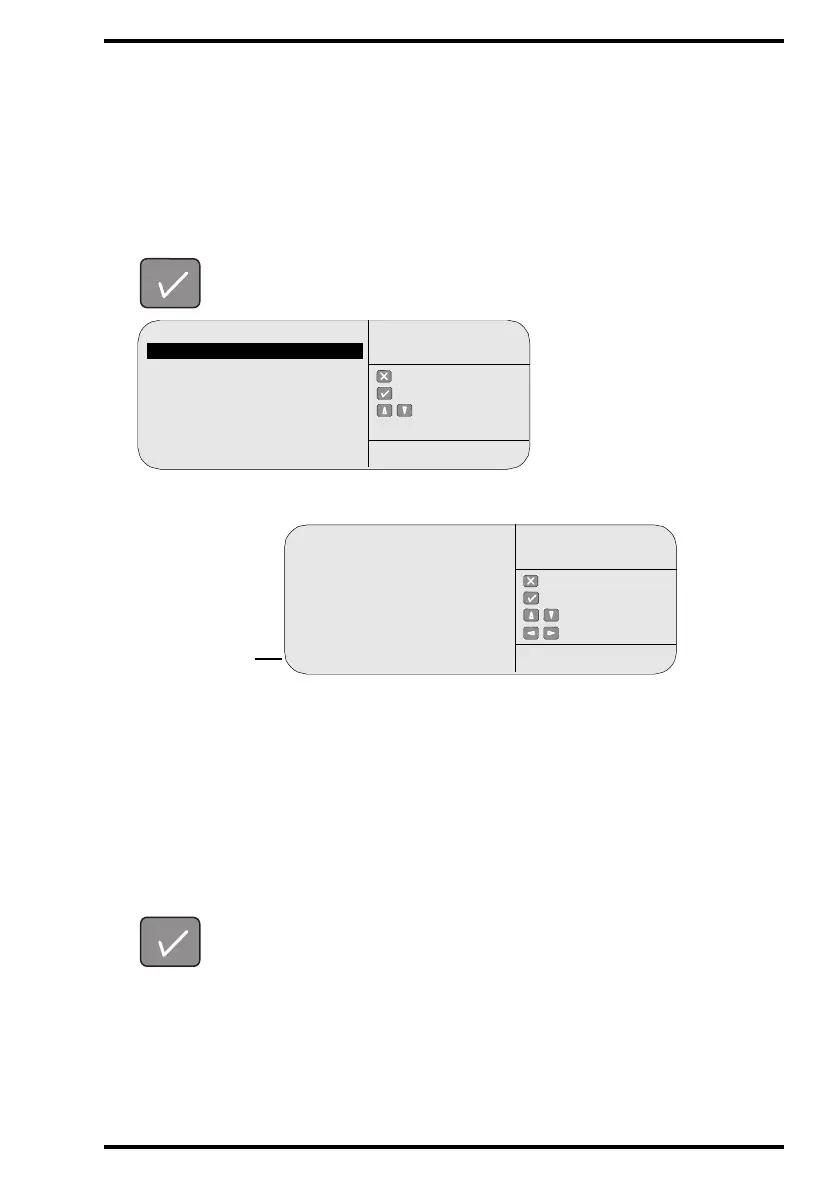
1 In the key-operator main menu, select ‘Digitizer set-up’ via the Up and Down
keys and confirm.
The CR 75.0 will display the Digitizer set-up menu:
# If you do not press a key within 1 minute, the CR 75.0 will exit the key-
operator mode.
2 Select the Audio signal field via the Up and Down keys.
3 Enable or disable the audio signals via the Left and Right keys.
4 Confirm your choice.
The operator main screen is displayed.
Queue management
Digitizer set-up
Date and Time
Send test image
System info
Install
Save configuration
Fast preview
: quit
: ok
: select
KEY-OPERATOR
MENU
SERVICE XXXXX
Process.station: enabled
Reroute process.station
[PPname1]
to
[PPname2]
Scan mode: standard
Acoustic signal: enabled
: quit
: ok
: select
: change
DIGITIZER
SET-UP
SERVICE XXXXX
Audio signal
field



 To Next Page