79
2241A EN 20040210
Solving ‘ERROR XXXXX’ errors
If the error field reads ‘ERROR XXXXX’:
1 Check the instructions on the screen.
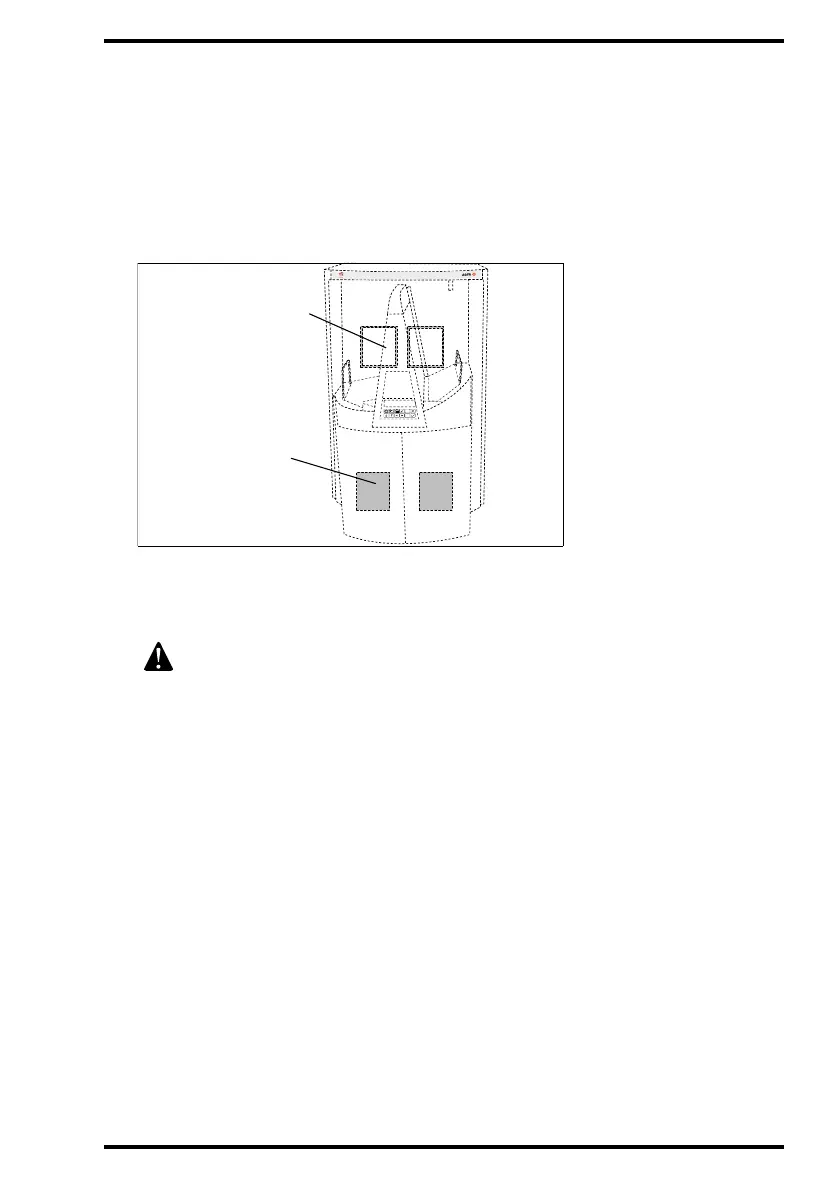
2 Check whether the display shows the following pictograph:
If the above pictograph is displayed, a cassette or an image plate is jammed inside
the Digitizer. The blank rectangle designates the position of the cassette; the
shaded rectangle designates the position of the image plate.
3 Follow the instructions on the display and the procedures below.The display
will tell you whether you need to open the front doors.
• If a cassette is jammed, refer to ‘Clearing cassette jams’ on page 80.
• If an image plate is jammed, refer to ‘Clearing image plate jams’ on page 84.
4 If the error condition and attendant message persists, contact your local
service organization and communicate the error number.
Do not reset the system.
M
USICA
Cassette position
Plate position



 To Next Page