:ANAPURNA L/XL OPERATOR MANUAL
AB]]]]]]]]]]]]]]]]]]]]]]]]]]]]]]]]]]]]]]]]]]]]]]]]]]]]]]]]]]]]]]]]]]]]]]]]]]]]]]]]]]]]]]]]]]]]]]]]]]]]]]]]]]]]]]]]]]]]]]]]]]]]]]]]]]]]]]]]]]]]]]]]]]]]]]]]]]]]]]]]]]]]]]]]]]]]]]]]]]]]]]]]]]]]]]]]]]]]]]]]]]]]]]]]]]]]]]]]]]]]]]]]]]]]12] 8/09/2006]
THE APPROPRIATE WAY OF WORKING, FOR PERFORMING A NOZZLE CHECK,
AND JUDGING MISFIRING NOZZLES,
CAN BE FOUND IN THE MAINTENANCE CHAPTER.
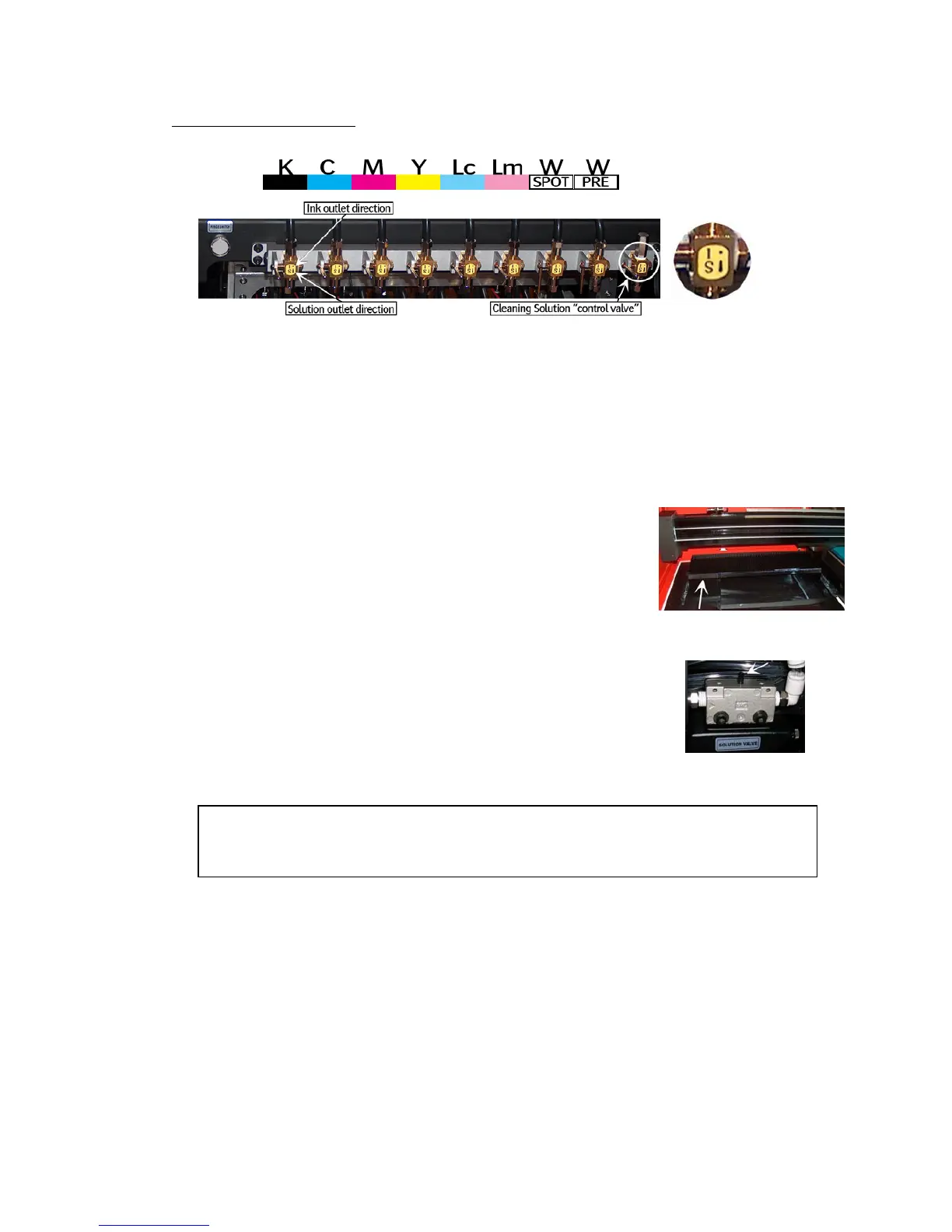
5.4. The 2-Way valves
- Normal printing:
- The color valves are positioned in the “I” direction.
The ink can flow to the head.
- Purging the heads:
- In case of clogged nozzles, or misfiring nozzles;
Push the “Purge” button at very short intervals,
this will cause ink flowing through the heads,
this will un-clog the missing nozzles.
(make sure the Grid is pushed to the back)
- Cleaning the heads with Cleaning solution:
- The color valves must be “closed”, set them to
the “S” direction. Now, the ink flow to the heads is closed.
Open the Cleaning Solution “control valve” on the right.
When you now push the “Solution-Purge” button on
the BACK of the shuttle, Cleaning solution will flow
through your heads to un-clog the missing nozzles.













 To Next Page