:ANAPURNA L/XL OPERATOR MANUAL
AB]]]]]]]]]]]]]]]]]]]]]]]]]]]]]]]]]]]]]]]]]]]]]]]]]]]]]]]]]]]]]]]]]]]]]]]]]]]]]]]]]]]]]]]]]]]]]]]]]]]]]]]]]]]]]]]]]]]]]]]]]]]]]]]]]]]]]]]]]]]]]]]]]]]]]]]]]]]]]]]]]]]]]]]]]]]]]]]]]]]]]]]]]]]]]]]]]]]]]]]]]]]]]]]]]]]]]]]]]]]]]]]]]]]]33] 8/09/2006]
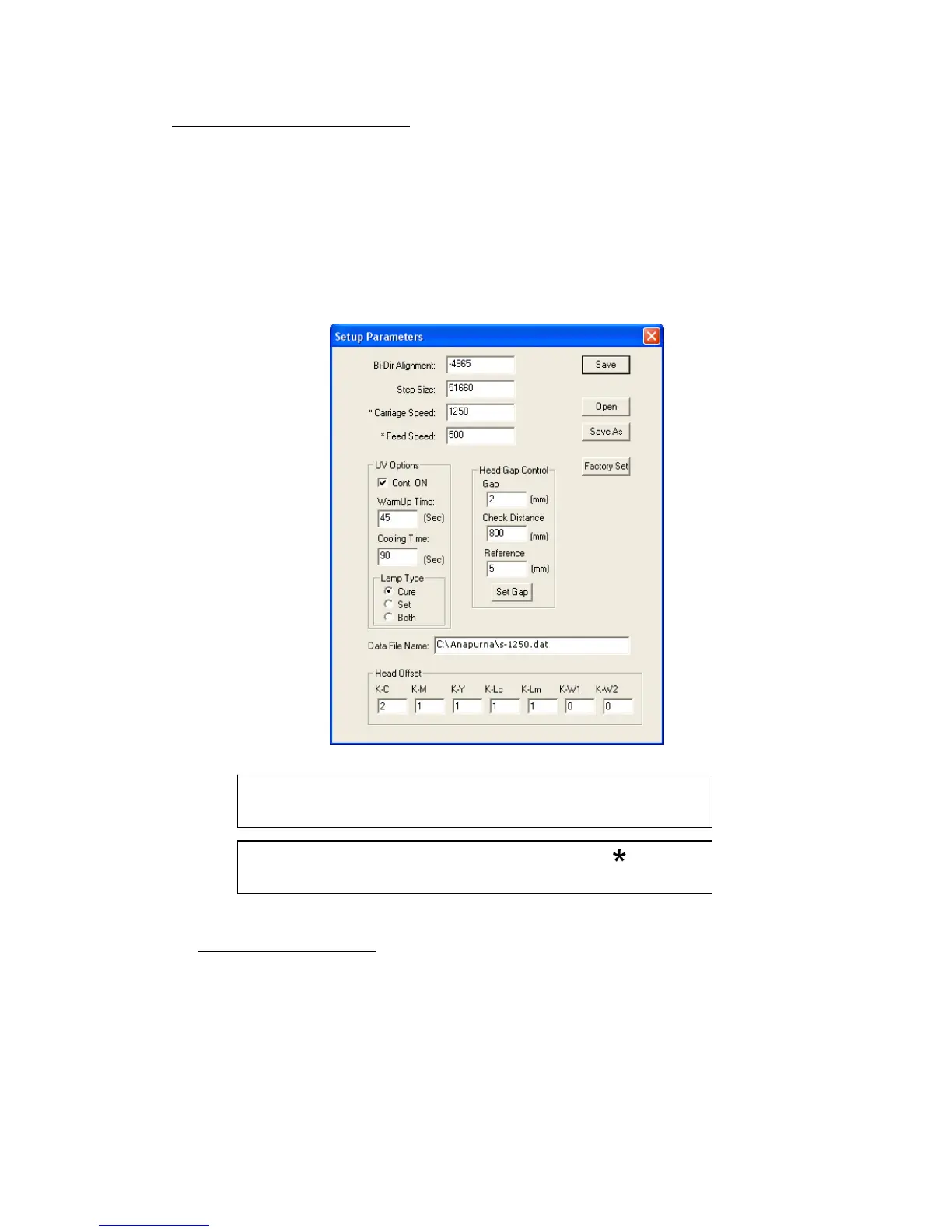
Changes on Parameters, marked with an “ ”,
require a “Parameter Download” in the TEST menu.
After changing a value: use the “Save as” button and create a
new .dat-file, or overwrite the old.
11.2. Setup Parameter Menu
General info: At first, you always have to OPEN a specific “.dat”-file, in which
all engine parameters are defined, such as the UV-settings,
Carriage speed, Bi-Dir alignment, Step size, etc.
The .dat-files are best named after the Carriage Speed and
head height. (e.g.: s-1250_2mm_flex.dat)
It’s best to make a new .dat –file for every different head height, also
make a different for flexible and rigid media.
11.2.1. Bi-Dir Alignment:
This only applies to Bi-directional printing!
You can change the value when you see that the drops are deviated from their
correct position. When printing Bi-di, the dots must be aligned and need to be
jetted to the same position, printing from right-to-left, and when printing from
left-to-right. A deviated Bi-Dir alignment will show as un-sharp text and blurry
images.













 To Next Page