:ANAPURNA L/XL OPERATOR MANUAL
AB]]]]]]]]]]]]]]]]]]]]]]]]]]]]]]]]]]]]]]]]]]]]]]]]]]]]]]]]]]]]]]]]]]]]]]]]]]]]]]]]]]]]]]]]]]]]]]]]]]]]]]]]]]]]]]]]]]]]]]]]]]]]]]]]]]]]]]]]]]]]]]]]]]]]]]]]]]]]]]]]]]]]]]]]]]]]]]]]]]]]]]]]]]]]]]]]]]]]]]]]]]]]]]]]]]]]]]]]]]]]]]]]]]]]34] 8/09/2006]
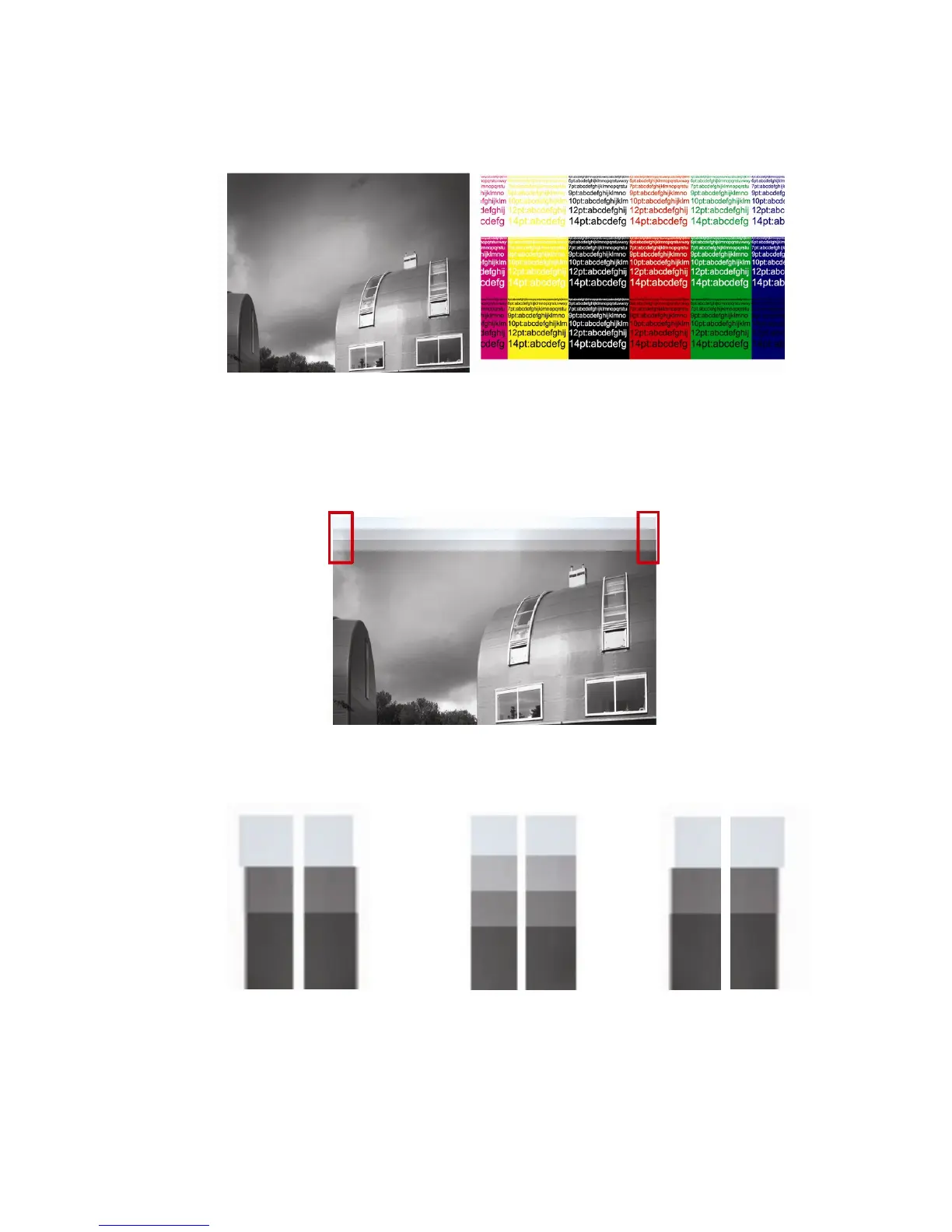
How to check the Bi-Dir Alignment:
Use a small image( 15cmx15cm), with text and a smooth background.
Evaluate the text sharpness and image smoothness.
As an indication, you can stop the print when it’s over half way.
By doing this, you’ll have a print with unfinished passes at the end, helping
you to evaluate the alignment.
The Bi-Dir can be out of focus, left or right:
Look at the end of the interrupted print:
(A) Too much left (B) GOOD (C) Too much right
Change the Bi-Dir Value Change the Bi-Dir Value
from e.g.: -4965 to -4980 from e.g.: -4965 to -4950
After changing, use “Save as”, and make a new .dat-file. (e.g.: s-1250_2mm_flex.dat)
In the TEST menu, select “Parameter Download”, the new value will be active.













 To Next Page