:ANAPURNA L/XL OPERATOR MANUAL
AB]]]]]]]]]]]]]]]]]]]]]]]]]]]]]]]]]]]]]]]]]]]]]]]]]]]]]]]]]]]]]]]]]]]]]]]]]]]]]]]]]]]]]]]]]]]]]]]]]]]]]]]]]]]]]]]]]]]]]]]]]]]]]]]]]]]]]]]]]]]]]]]]]]]]]]]]]]]]]]]]]]]]]]]]]]]]]]]]]]]]]]]]]]]]]]]]]]]]]]]]]]]]]]]]]]]]]]]]]]]]]]]]]]]]41] 8/09/2006]
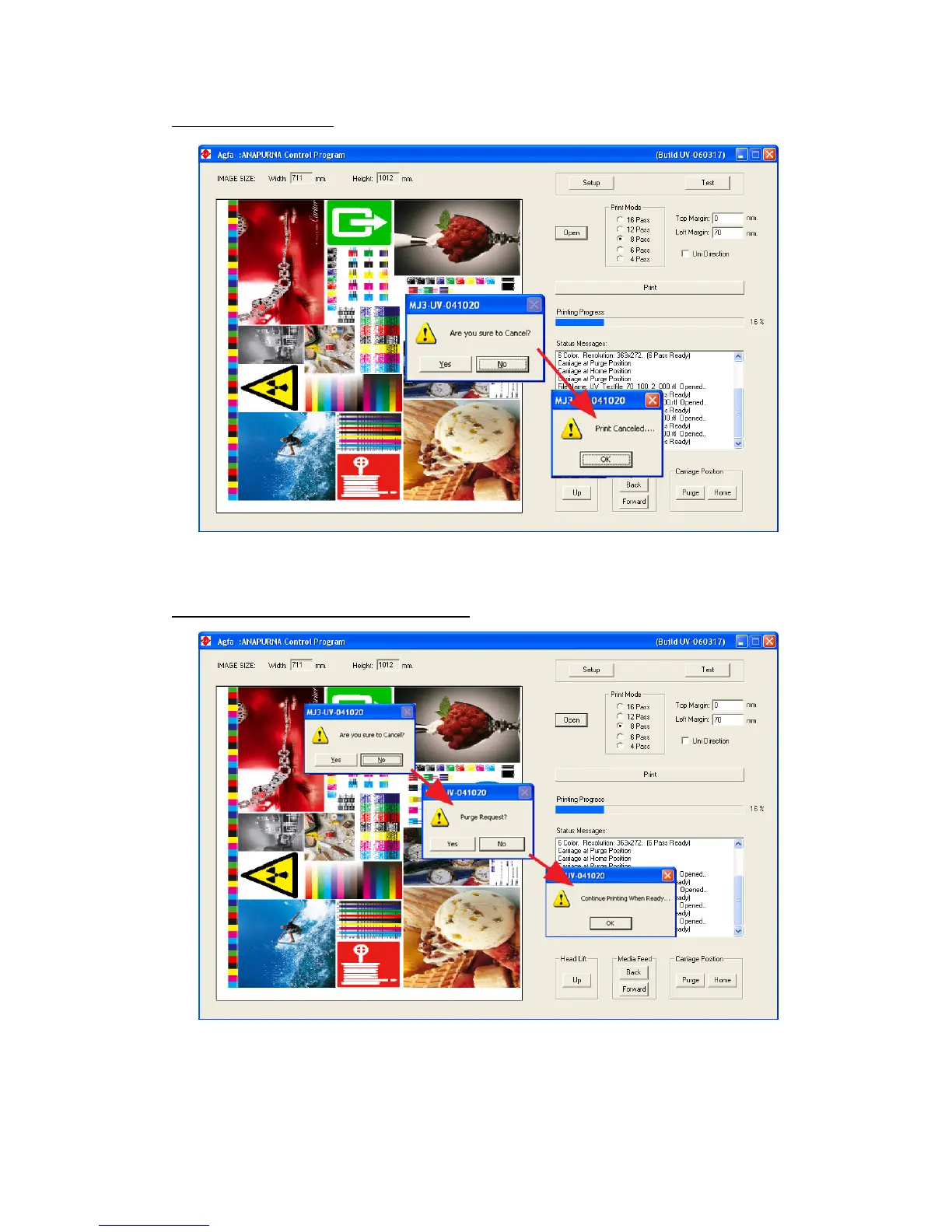
12.4. Cancel a print
While printing, press “S” and “Y”, the print is then cancelled.
12.5. Purge function on the printing
While printing, press “S” and “N”, at ‘Purge Request?’ select “Y”, the carriage will
move to the Purge position. After the Purge intervention, press the “OK” button to
continue printing.













 To Next Page