:ANAPURNA L/XL OPERATOR MANUAL
AB]]]]]]]]]]]]]]]]]]]]]]]]]]]]]]]]]]]]]]]]]]]]]]]]]]]]]]]]]]]]]]]]]]]]]]]]]]]]]]]]]]]]]]]]]]]]]]]]]]]]]]]]]]]]]]]]]]]]]]]]]]]]]]]]]]]]]]]]]]]]]]]]]]]]]]]]]]]]]]]]]]]]]]]]]]]]]]]]]]]]]]]]]]]]]]]]]]]]]]]]]]]]]]]]]]]]]]]]]]]]]]]]]]]]18] 8/09/2006]
7. Printing Table.
7.1. General information
- Woven Conveyor belt
- Transport is done by a step-motor
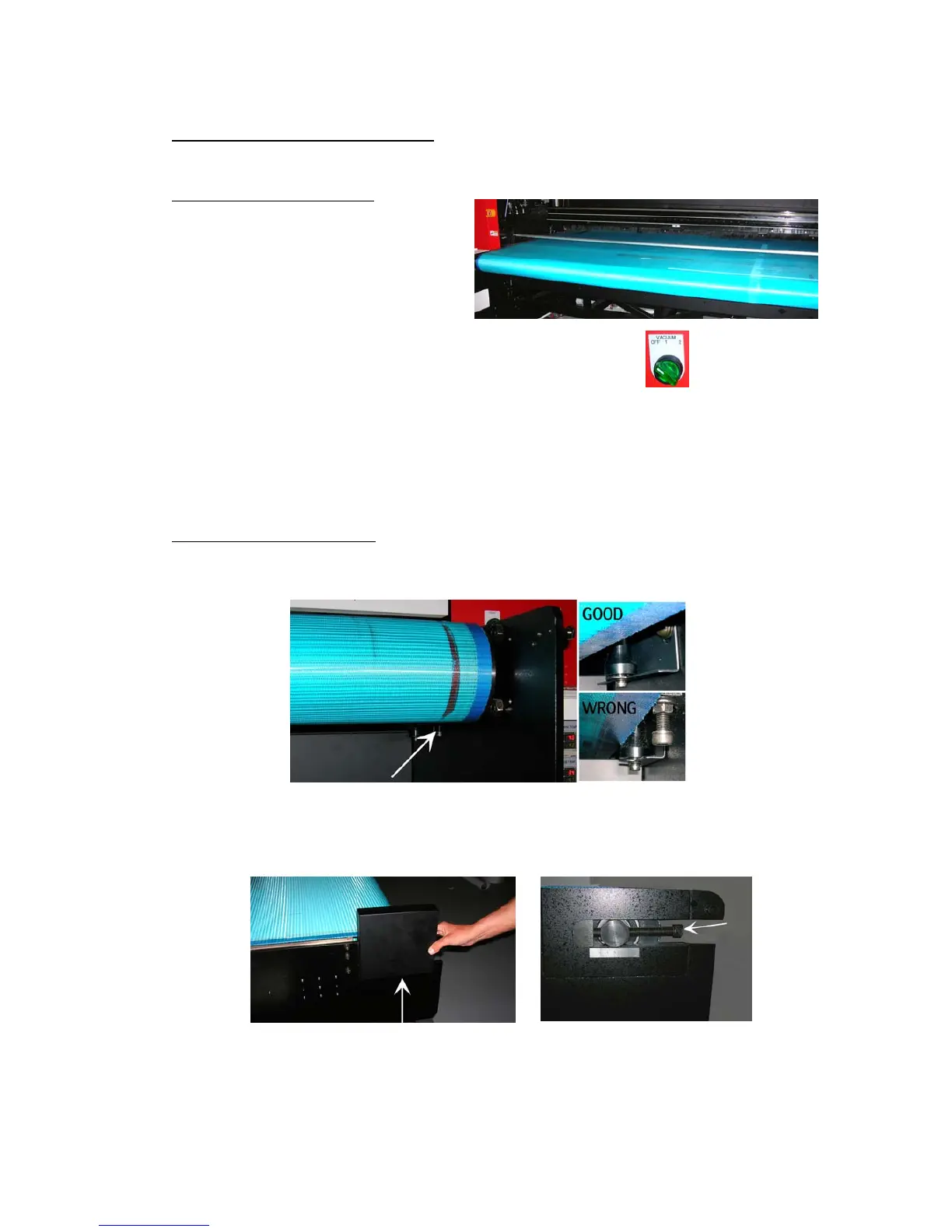
- On the table are 2 vacuum-zones with a fixed strength.
The table is evenly divided in a right (1) and a left (2) side,
which can be switched on in that order.
- When printing on a banner/paper type of roll media, only the right (1) vacuum
side should be used. (Even when the media width is almost the engine width)
- When printing on two rigid media, both vacuum tables must be used.
7.2. Belt Tension control
- 1) if the belt is touching the left or right guide, on the underside of the table.
- 2) remove the metal covers on the backside (both left and right), rotate the screw
at the REAR stand to CW or CCW to control the tension.













 To Next Page