:ANAPURNA L/XL OPERATOR MANUAL
AB]]]]]]]]]]]]]]]]]]]]]]]]]]]]]]]]]]]]]]]]]]]]]]]]]]]]]]]]]]]]]]]]]]]]]]]]]]]]]]]]]]]]]]]]]]]]]]]]]]]]]]]]]]]]]]]]]]]]]]]]]]]]]]]]]]]]]]]]]]]]]]]]]]]]]]]]]]]]]]]]]]]]]]]]]]]]]]]]]]]]]]]]]]]]]]]]]]]]]]]]]]]]]]]]]]]]]]]]]]]]]]]]]]]]35] 8/09/2006]
11.2.2. Step Size:
The Step Size is also known as “Media Feed”.
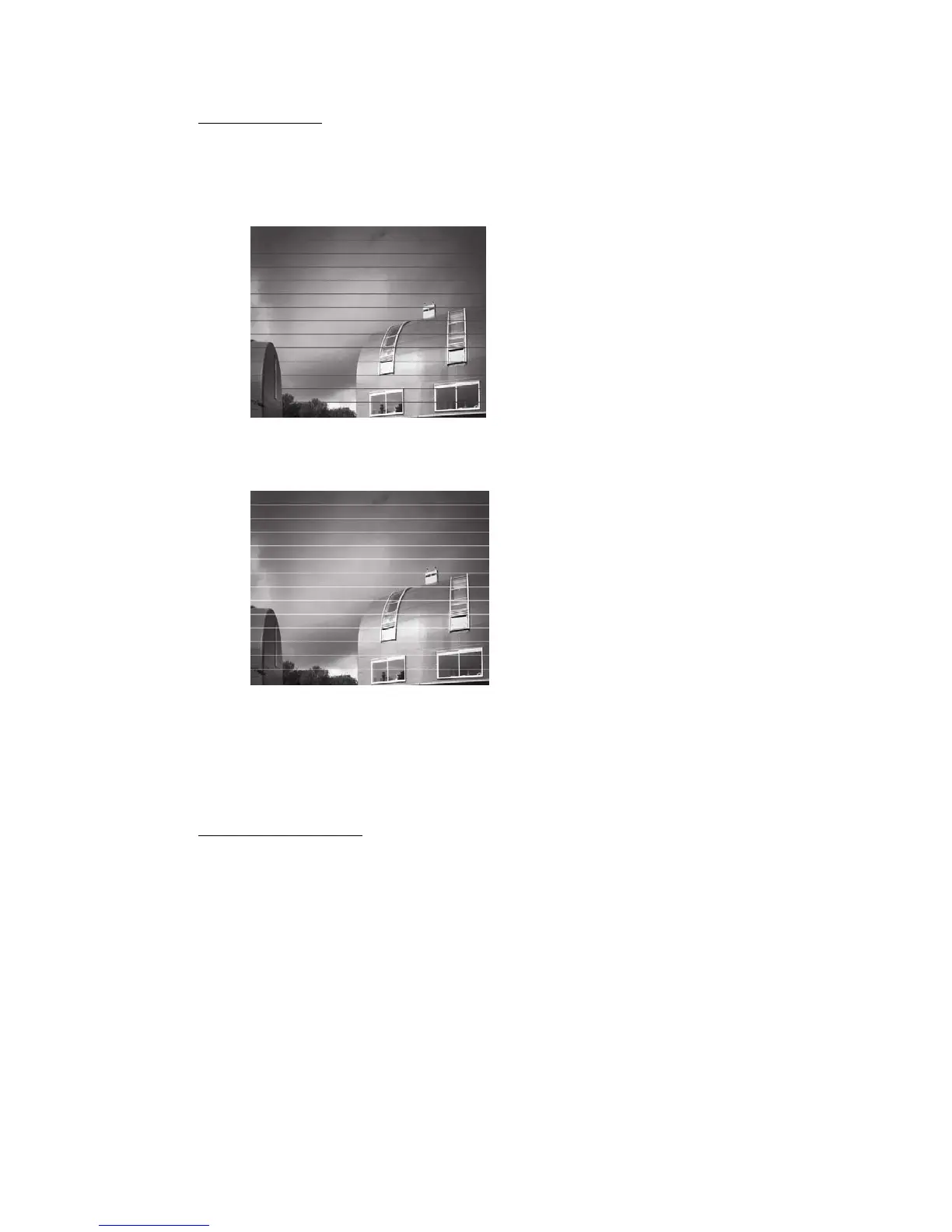
You can visually see on a printed image if you have to adjust the Step Size.
(A) Dark lines in the print, as a result of overlapping passes.
Increase the Step Size value from:
e.g.: 51660 to 51680
(B) White lines in the print, as a result of a gap between the passes.
Decrease the Step Size value from:
e.g.: 51660 to 51640
After changing the value, use “Save as”, and overwrite the existing .dat-file.
In the TEST menu, select “Parameter Download”, click on TEST.
Now, the new value will be active.
11.2.3. Carriage Speed:
The engine has got 3 pre-defined Carriage speeds: 900, 1250 and 1525.
These
speeds are continuously variable. We consider 1250 as the default speed.
When printing Uni-directional with 1250, the printing speed is 1250, and the
returning speed (to home) is, by default set to 2000.
As a result, you don’t loose half your Bi-dir speed when printing Uni.













 To Next Page