Chapter 2 — Installing the scanner 28
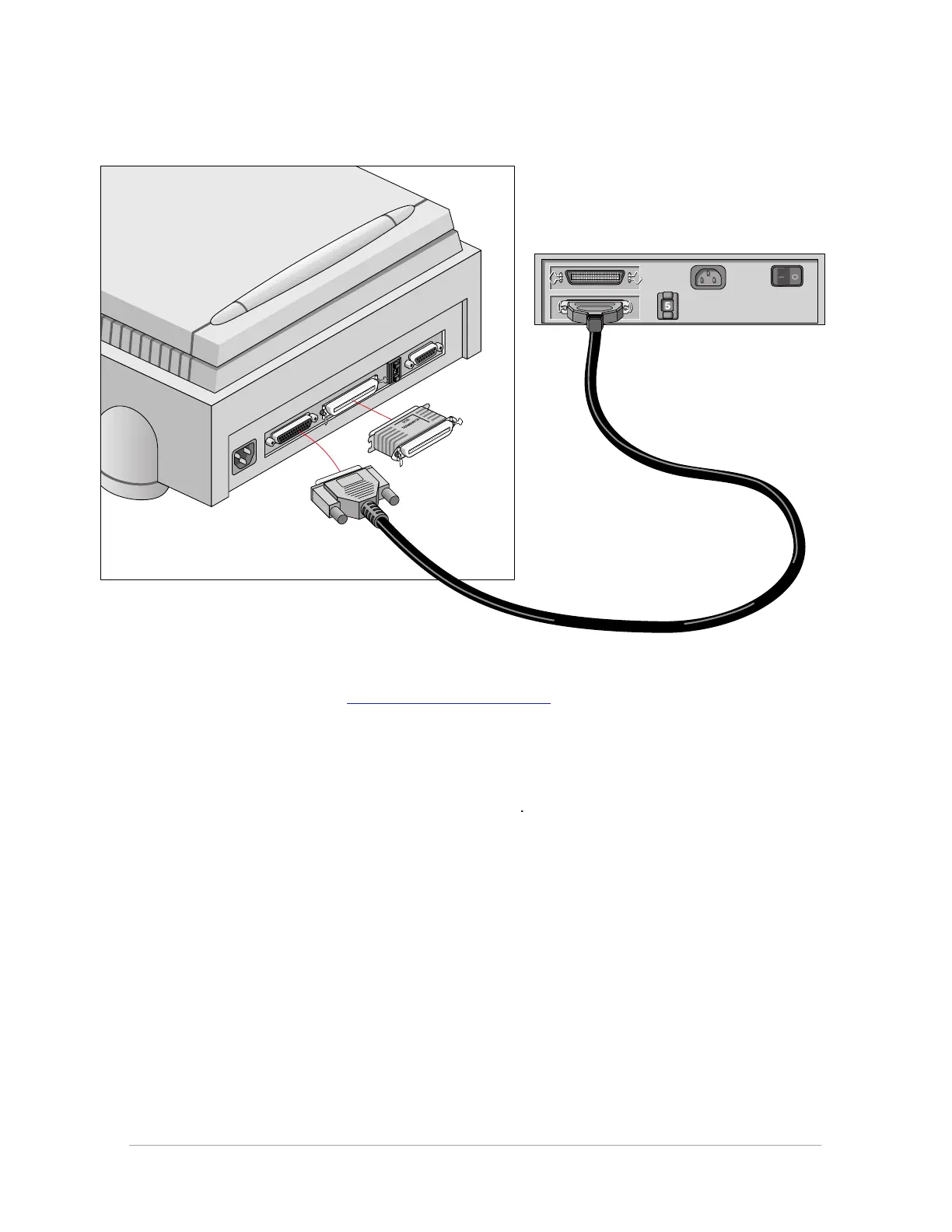
■ If your PC has a 50-pin connector and your StudioStar will be connected to your PC together
with other SCSI devices:
If you install the scanner at the end of your SCSI chain:
1. Set the scanner to an unused SCSI ID number between 1 and 6.
For more information, see “Choosing a SCSI ID number” earlier in this chapter.
2. Connect the 50-pin end of the SCSI cable to the connector at the rear of your device.
3. Place the terminator on the 50-pin connector of the scanner. Snap the diamond shaped wire
clips into the clip brackets to secure the connection.
4. Connect the 25-pin end of the cable to the scanner.



 To Next Page