Chapter 2 — Installing the scanner 29
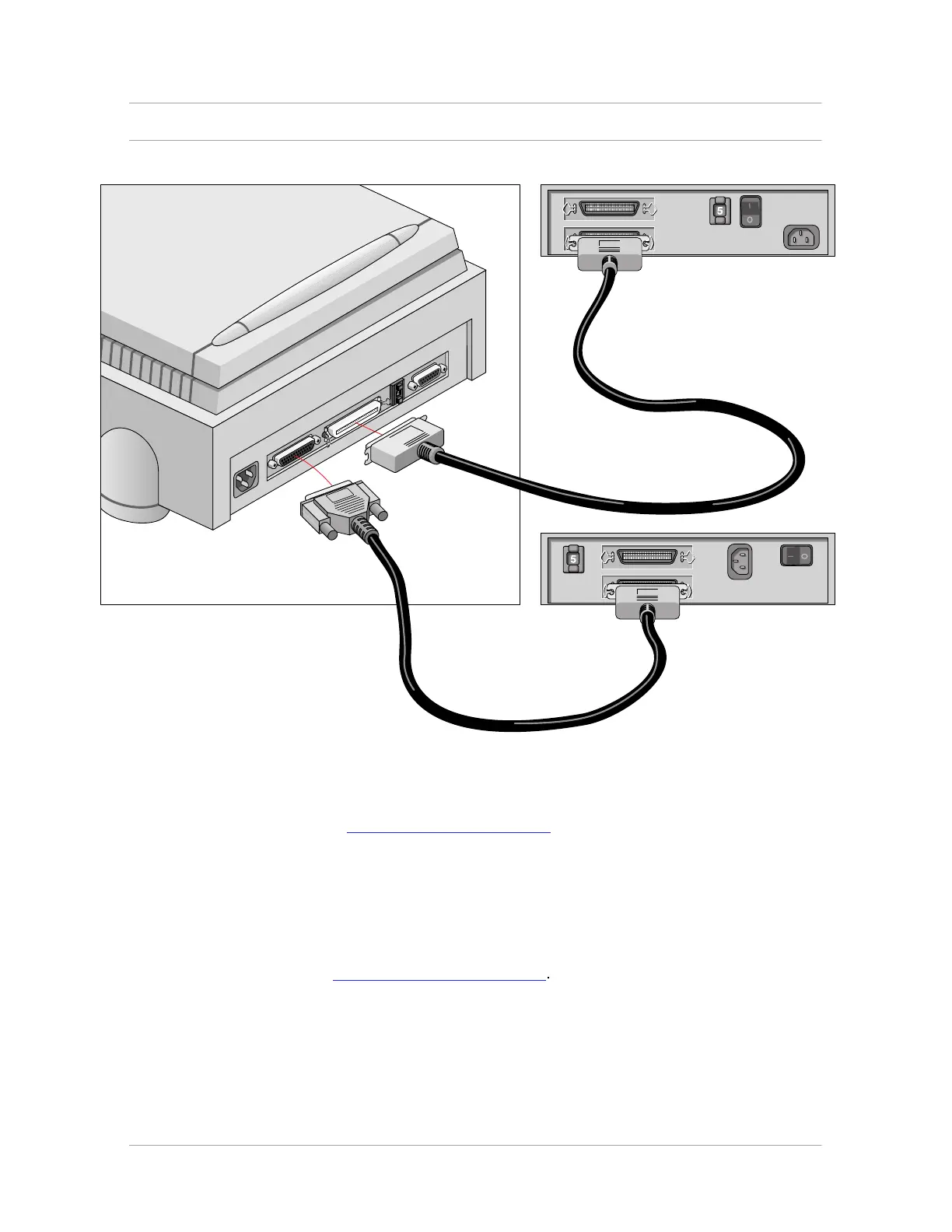
If you install the scanner between two other devices:
Caution: In this configuration you are not allowed to put the terminator on the scanner.
1. Disconnect the two devices between which you want to install the scanner.
2. Set the scanner to an unused SCSI ID number between 1 and 6.
For more information, see “Choosing a SCSI ID number” earlier in this chapter.
3. Connect the 50-pin end of the SCSI cable to the connector at the rear of the adjacent device.
4. Connect the 25-pin end of the cable to the scanner's 25-pin connector.
5. Connect the scanner to the next device in the SCSI chain.
6. Make sure that the last device in the chain is terminated.
In case of problems, refer to Appendix C, “Troubleshooting”.



 To Next Page