32
2
Front-Panel Menu Operation
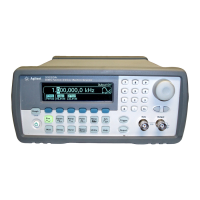
This chapter introduces you to the front-panel keys and menu operation.
This chapter does not give a detailed description of every front-panel key
or menu operation. It does, however, give you an overview of the front-
panel menus and many front-panel operations. See chapter 3 “Features
and Functions,” starting on page 53, for a complete discussion of the
function generator’s capabilities and operation.
• Front-Panel Menu Reference, on page 33
• To Select the Output Termination, on page 35
• To Reset the Function Generator, on page 35
•To Output a Modulated Waveform, on page 36
• To Output an FSK Waveform, on page 38
•To Output a PWM Waveform, on page 40
• To Output a Frequency Sweep, on page 42
• To Output a Burst Waveform, on page 44
• To Trigger a Sweep or Burst, on page 46
• To Store the Instrument State, on page 47
• To Configure the Remote Interface, on page 48


 To Next Page