EasyManua.ls Logo

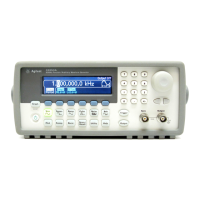
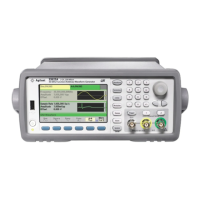
Agilent Technologies Agilent 33500 Series - User Manual

Agilent Technologies Agilent 33500 Series
429 pages
Print Icon
To Next Page IconTo Next Page
Loading...
Agilent Technologies
33500 Series
Waveform Generator
Operating and Service Guide

Table of Contents

Questions and Answers

  • B
    Brooke WilliamsAug 12, 2025
    What to do if the Agilent Technologies Inverter unit is inoperative?
    • J
      jamesmackAug 12, 2025
      If the Agilent Technologies Inverter unit is not working, first verify that the AC power cord is securely connected to the instrument and plugged into a functioning outlet. Next, check if the Power On/Standby switch on the front panel has been pressed.
  • D
    Dr. Robert GonzalesAug 18, 2025
    What causes self-test errors 605-609 on Agilent Technologies Inverter?
    • L
      lisawallsAug 18, 2025
      Self-test errors 605-609 on the Agilent Technologies Inverter can be caused by outdated firmware, or a failing or unseated processor board or main board. Ensure that the instrument firmware is up to date. Reseat the processor board and the main board. Probe the system power supplies and verify they are operating within limits. Also, probe the SPI communications lines between the processor board and the main board.
  • C
    cisnerosfrederickAug 23, 2025
    How to troubleshoot power supplies in Agilent Technologies Inverter?
    • J
      Jasmine BartonAug 23, 2025
      To troubleshoot power supplies in the Agilent Technologies Inverter: * Disconnect the main supply from the main board to test. * Always check the supply is free of oscillations using an oscilloscope. * Replace the entire main power supply assembly. * Verify the power supplies listed in the table.
  • V
    Victoria HughesAug 29, 2025
    What to do if main board LED lights up after boot in Agilent Technologies Inverter?
    • S
      shepherdreneeAug 29, 2025
      If the Main Board LED lights up after boot in the Agilent Technologies Inverter, probe the J201, pin 27 line with an oscilloscope, and cycle power on the unit.
  • K
    kathy03Sep 4, 2025
    What to do if main board LED does not light up after boot in Agilent Technologies Inverter?
    • W
      Willie PetersonSep 4, 2025
      If the Main Board LED does not light up after boot in the Agilent Technologies Inverter, probe the following serial data lines at power up with an oscilloscope.

Agilent Technologies Agilent 33500 Series Specifications

General IconGeneral
Vertical Resolution14 bits
Output Impedance50 Ω
TypeFunction/Arbitrary Waveform Generator
Channels1 or 2
Waveform TypesSine, Square, Ramp, Pulse, Noise, Arbitrary
InterfaceUSB, LAN (LXI), GPIB (optional)
Frequency Range1 µHz to 20 MHz (33521A/B), 1 µHz to 30 MHz (33522A/B)

Related product manuals