2-13
Front-Panel Overview
To use digital channels to view a signal
To use digital channels to view a signal
• To configure the oscilloscope quickly, press the Autoscale key to display
the connected signals.
• To undo the effects of Autoscale, press the
Undo Autoscale softkey before
pressing any other key.
This is useful if you have unintentionally pressed the Autoscale key or do not
like the settings Autoscale has selected and want to return to your previous
settings.
• To set the instrument to the factory-default configuration, press the
Save/Recall key, then press the Default Setup softkey.
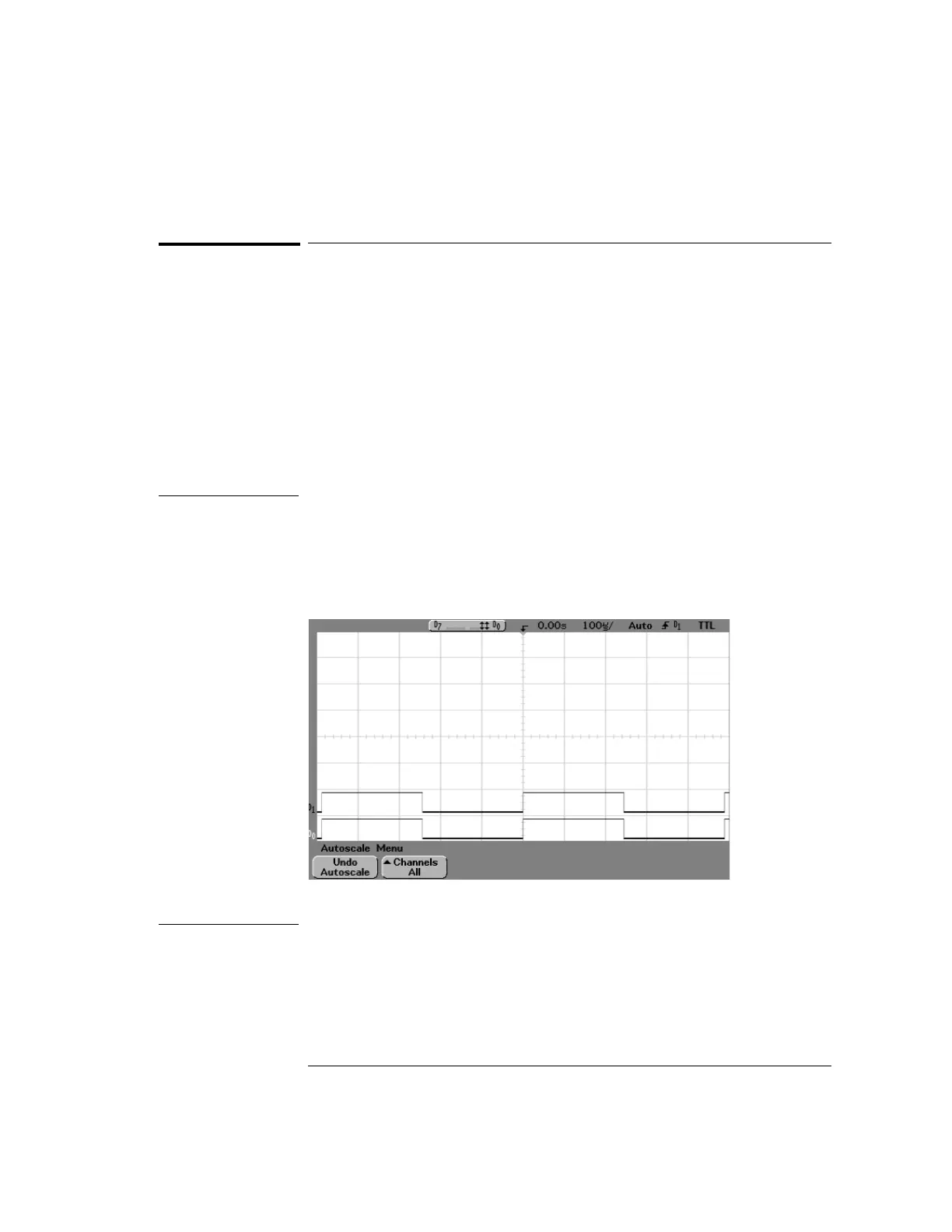
Example Install probe clips on channels 0 and 1 on the digital probe cable. Connect the
probes for digital channels 0 and 1 to the Probe Comp output on the front panel
of the instrument. Be sure to connect the ground lead. Set the instrument to
the factory default configuration by pressing the Save/Recall key, then the
Default Setup softkey. Then press the Autoscale key. You should see a display
similar to the following.
Autoscale with digital channels (54621D, 54622D, 54641D, and 54642D)


 To Next Page
 Loading...