3-32
Triggering the Oscilloscope
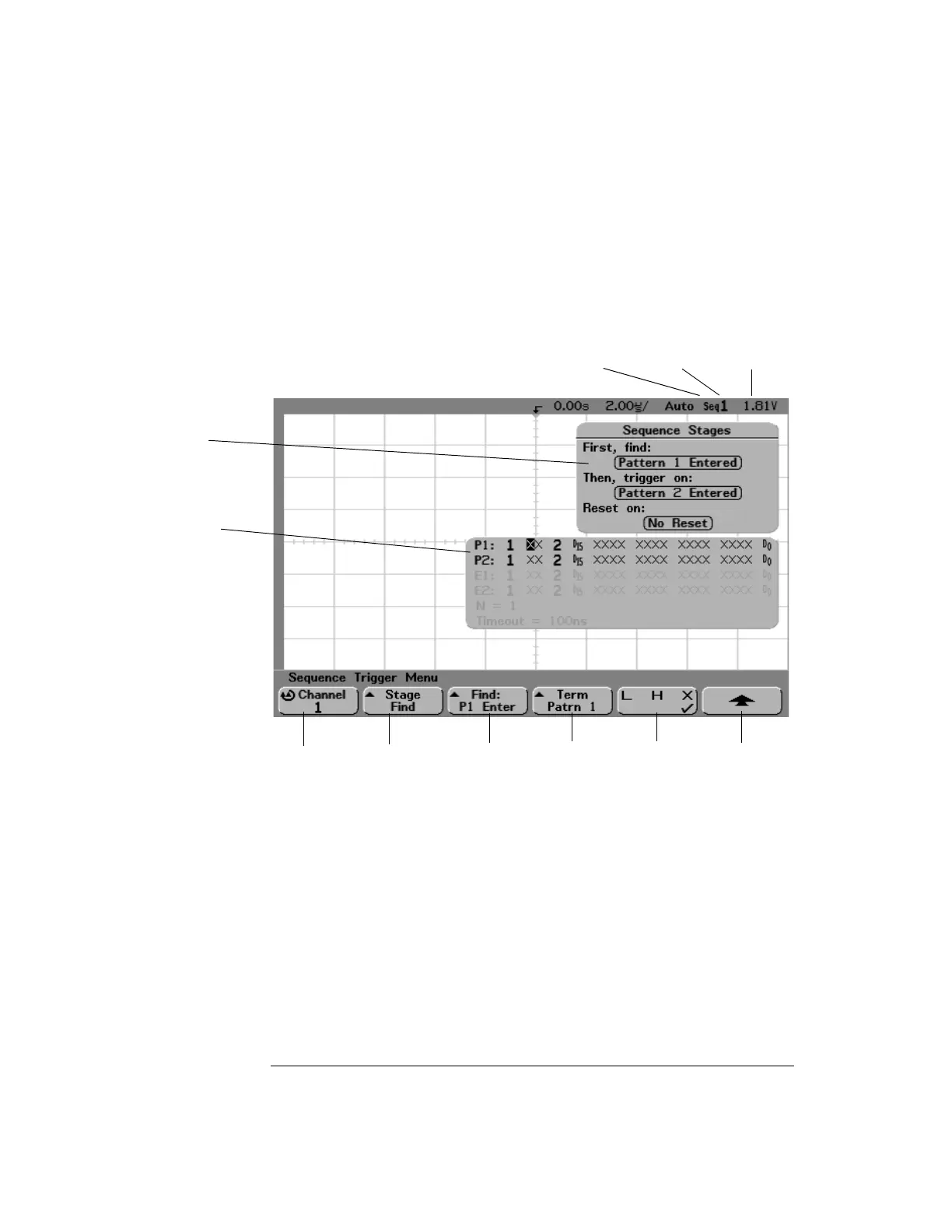
To use Sequence triggering
•Press the More key in the Trigger section of the front panel, rotate the
Entry knob until
Sequence is displayed in the Trigger softkey, then press
the
Settings softkey to display Sequence trigger menu.
As you set stage, term, and channel definitions for the sequence trigger, these
settings will be shown in the waveform area of the display.
Channel
select
Stage
select
Find, Trigger on,
or Reset condition
Define
term
Trigger level
or threshold
Sequence
trigger
Return to
previous menu
Select
term
Selected
channel
Sequence stage
definitions
Term definitions


 To Next Page
 Loading...