Replacement Procedures
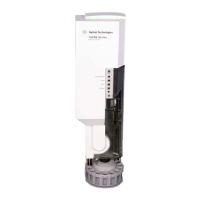
Replacing the G2613A Injector
MAR 2000 19
Replacing the G2613A Injector
Note Do not mount the G2613A Injector on a mounting post for a 7673 Injector.
Remove the old post and replace it with the new one.
1. Unplug the injector cable from the GC.
2. Lift the injector off of the mounting post.
3. If necessary, install/replace the mounting post on the injection port cover
in the front or back location, as desired.
4. Open the new injector’s door. Slide the packing material and syringe carriage
down, then remove the packing.
5. Mount the new injector. Line up the hole in the base of the injector that is
nearest the cable with the mounting post. Lower the injector about an inch
(2.5 cm) onto the post. See Figure 5.
Figure 5 Mounting the injector (6890 GC shown)
Alignment hole
Alignment pin
Mounting post (front)
Cable
Hole in injector base
Inlet cover
Back mounting post
location


 To Next Page
 Loading...