66
Chapter 5. BMC Conguration SettingsLynx User Manual
5�2�2 User Information and Quick Button
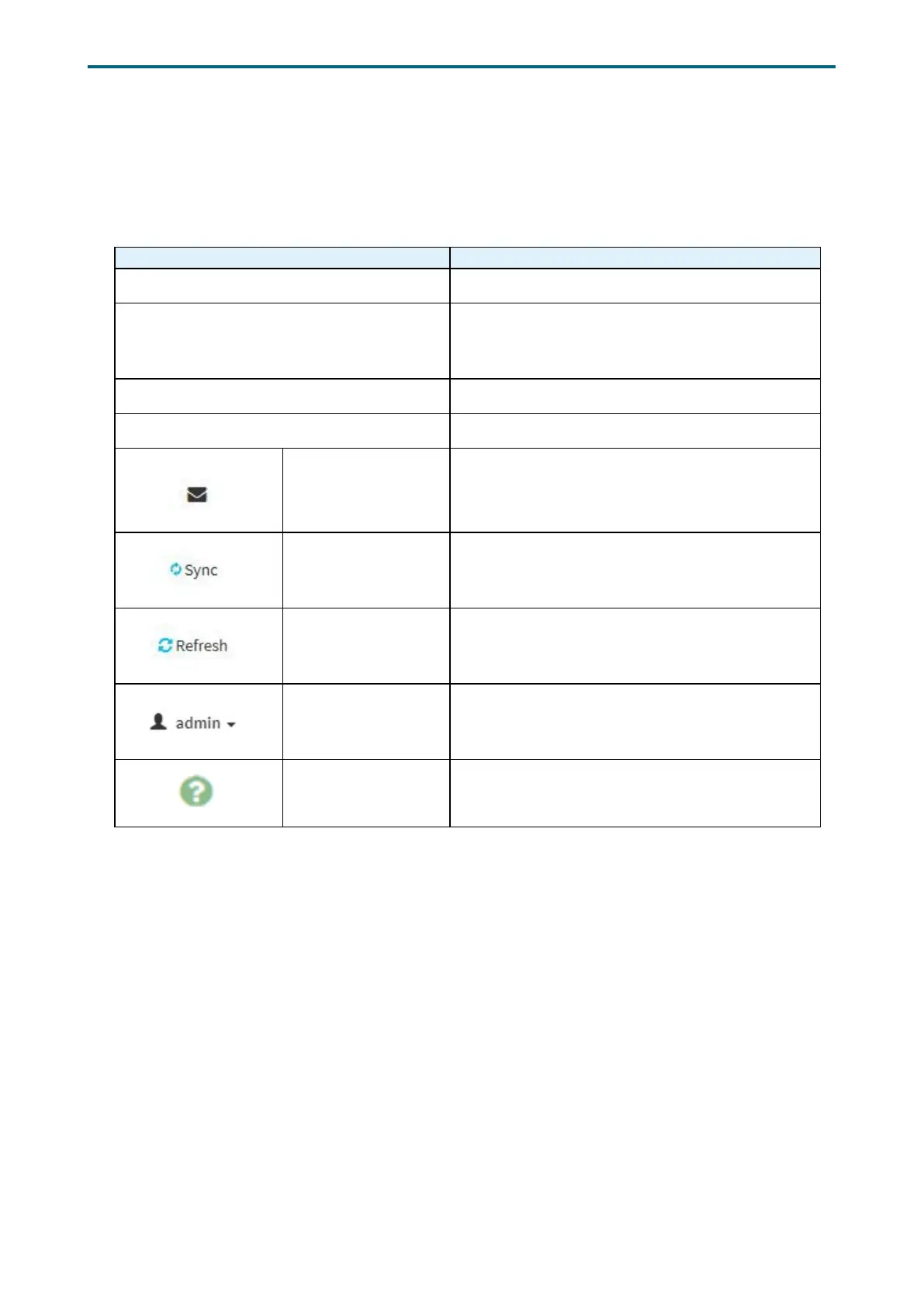
The user information and quick access buttons are located at the top right corner. It
displays the logged-in user, his/her privilege and the four quick buttons allowing you to
perform different functions.
Button Description
User Only valid commands are allowed.
Operator All BMC commands are allowed except for the
conguration commands that can change the
behavior of the out-of-hand interfaces.
Administrator All BMC commands are allowed.
No access Login access denied.
Notification Click to view notication messages.
Sync
Click to synchronize with the latest sensor and
event log updates.
Refresh Click to reload the current page.
Administrator
Sign out: Click to log out of the GUI
Prole: Click to enter the User Management
Conguration dialog box in gure xx.
Help Click to view more details on eld descriptions.


 To Next Page