Doc No. FM5600 issue E Page 10
The battery backed PSU (Aidcall Part No. E40061) requires connection to the mains supply; it provides 12V
DC for the Interface, Master and Slave Bases.
INSTALLATION
Undo the single lid fixing screw and open the lid.
Note: if the lid is removed ensure the Safety Earth is re-connected.
Position the PSU within 2 metres of an un-switched 13A mains socket.
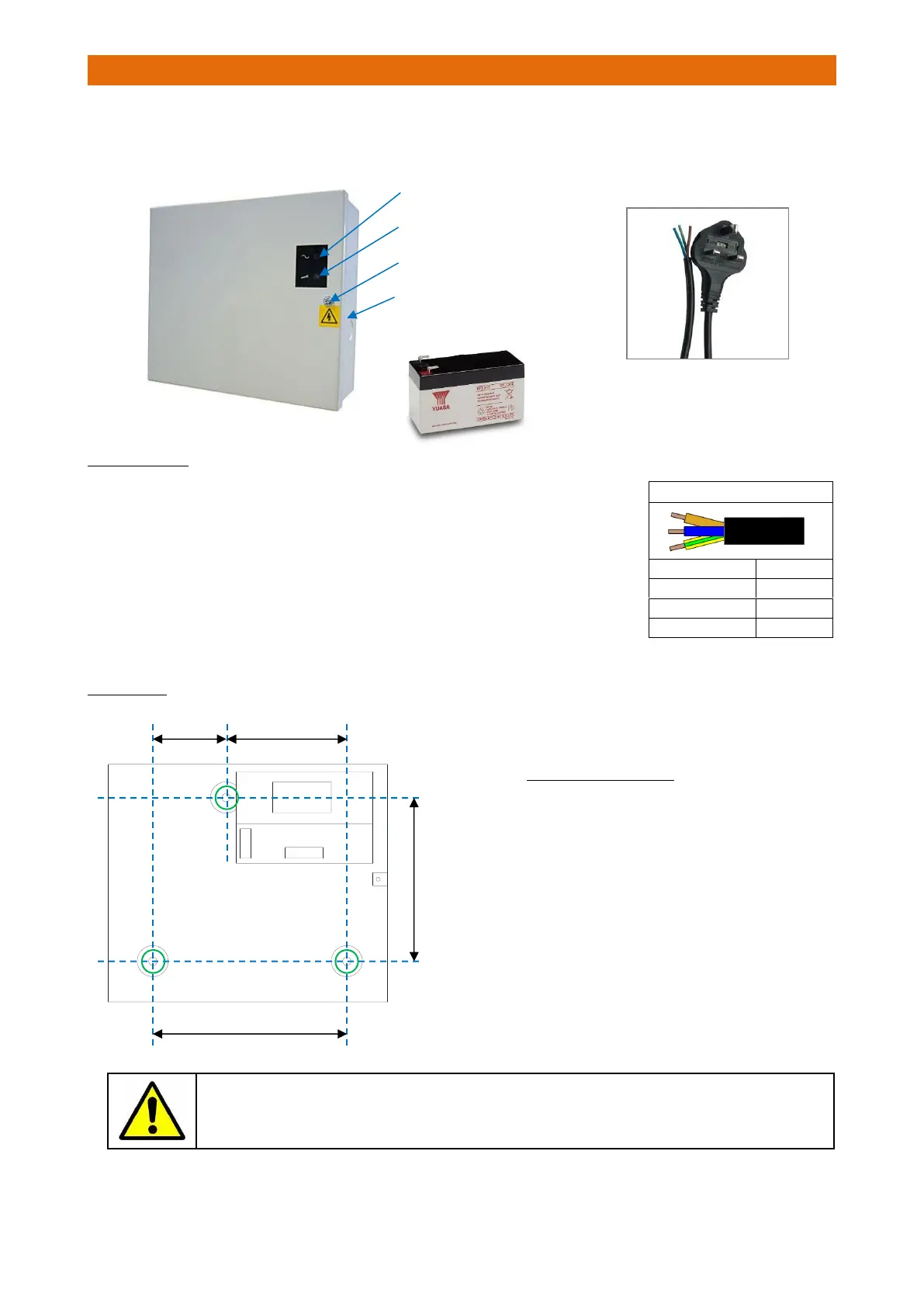
Fix the power supply unit to the wall using the 3 holes “A” as shown below.
Connect the mains lead provided to the power supply unit mains terminals
using the colour code in the table alongside.
Note: the plug is fitted with a 240V AC 5A BS1362 fuse.
PSU FIXING
The PSU should only be opened during installation and service – the lid must be screwed
shut at all other times to prevent the risk of electric shock.
Never leave a live PSU unattended with the lid open.
Wall Mounted Enclosure
200 x 230 x 80mm (HxWxD)
12V 1.2Ah Rechargeable Battery
2m Mains Lead & 13A UK Plug
Hinged Lid (1 Screw Fixing)
PSU LED INDICATORS
The GREEN POWER LED should be
permanently illuminated when the
Mains supply is healthy.
The RED FAULT LED will illuminate
if the 12V output or battery fuse
has blown.
Battery Backed
12V/1A Boxed PSU



 To Next Page