The paging system is programmed using a Laptop PC running the Master Base Programming software.
This software is available as a free download from https://www.aidcall.co.uk/on-demand/
Connect the Laptop via a USB-Serial converter to the Master Base using the programming lead (Aidcall Part
No. ZNC577).
COMM PORT SETUP
The Programmer communicates serially with the Master Base; the correct Serial Port needs to be set in the
programmer.
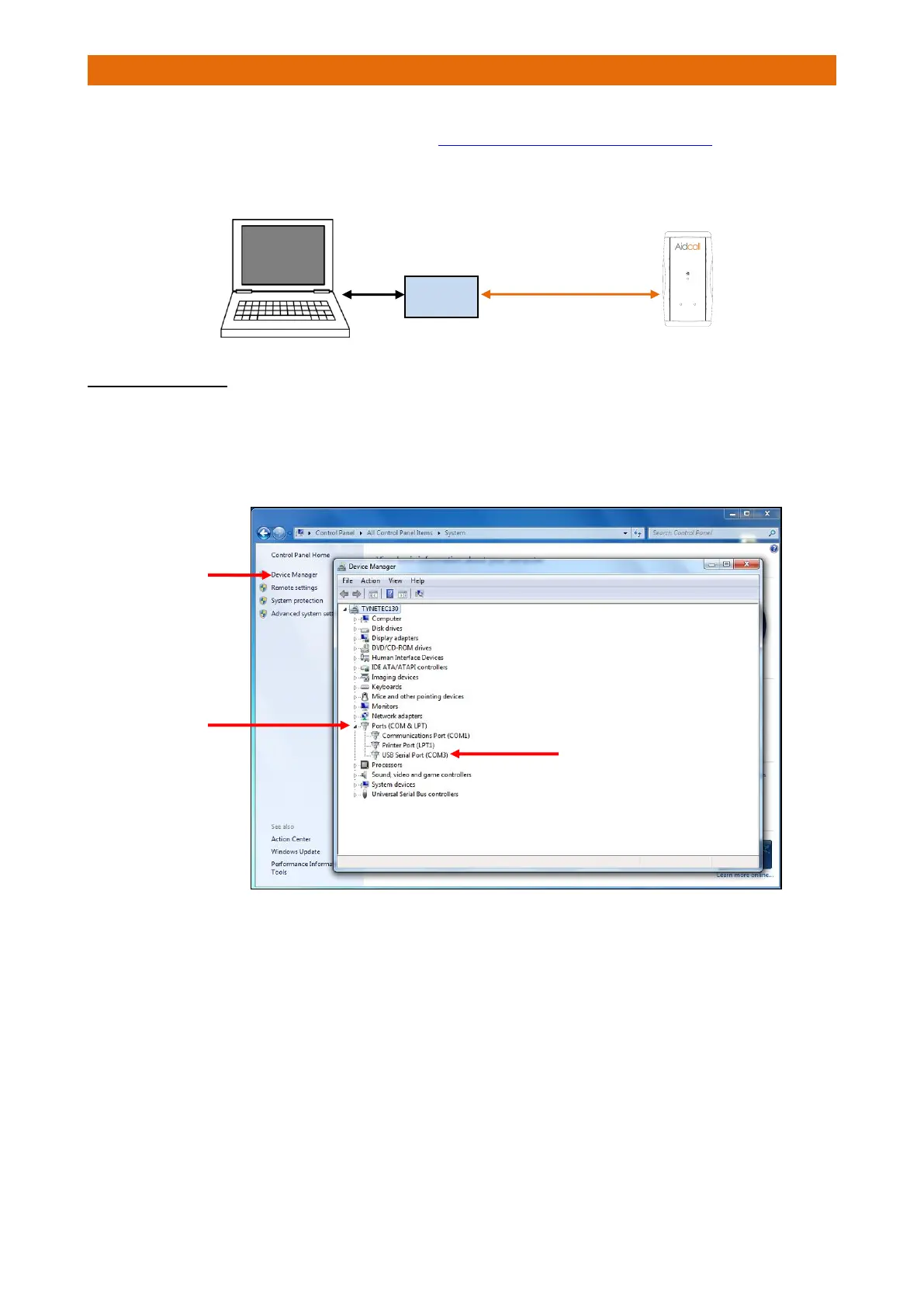
To determine the correct COM Port; plug the USB-Serial converter into a USB port then from the Windows
Start button select Control Panel>System>Device Manager then click-on “Ports (COM & LPT)”...
Make a note the COM Port number (in this case COM3).
The example above is for Window 7, XP and Vista are similar.



 To Next Page