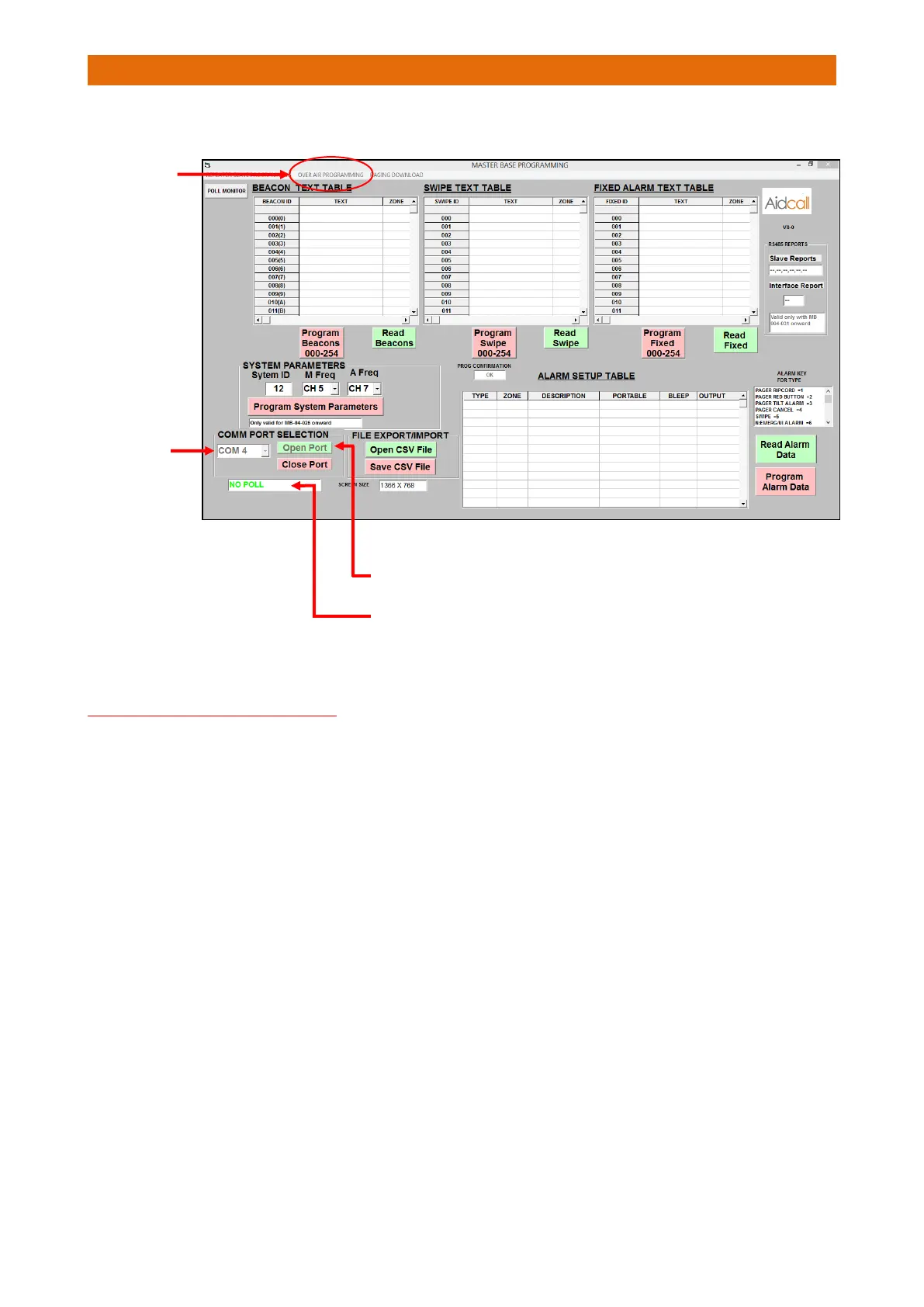
Run the Master Base programmer software and select the correct COM Port from the pull-down list…
2. After selecting the COM Port click-on the “Open Port” button
3. This box should show “CONNECTED”
4. Now click-on the “Over Air Programming” tab at the top of the screen.
IMPORTANT NOTES ON PAGER ID’s
Please observe the rules below when setting-up Pager ID’s;
• Up to 6 different Pager ID’s can be used per site
• Use 3 digit ID’s in the range 101 to 999 whenever possible
• ID’s should NOT have leading 0’s i.e. 001 to 099
• ID’s 000 and 100 must not be used
• It is possible to use letters A-Z for the first and second characters only
• ID’s A00, B00 to Z00 must not be used
The Touchsafe Pro uses the last 2 digits of the Pager ID as the unique Staff ID for the Nurse Present
feature. The Staff ID must be in the range 01 to 99 (00 is not a valid ID).
If a letter is used for the first character only e.g. G01 then the Pager will send 01 as the Staff ID.
If letters are used for the first and second characters e.g. GD1 then the Pager will not send a Staff ID, thus
indicating the staff member has not logged-on to the Pager with their own ID. This should not cause an
issue if the system is being operated correctly and the staff log-on to their Pagers for every shift.
Please note the current Staff ID will be displayed on the Pager and will be updated every time a different
member of staff logs-on or when the Pager is returned to the Charger.



 To Next Page