DocNo.FM5505issueDPage10
8.SYSTEMCONFIGURATION
STAFFID
CHANGEPASSWORD
NIGHTMODE
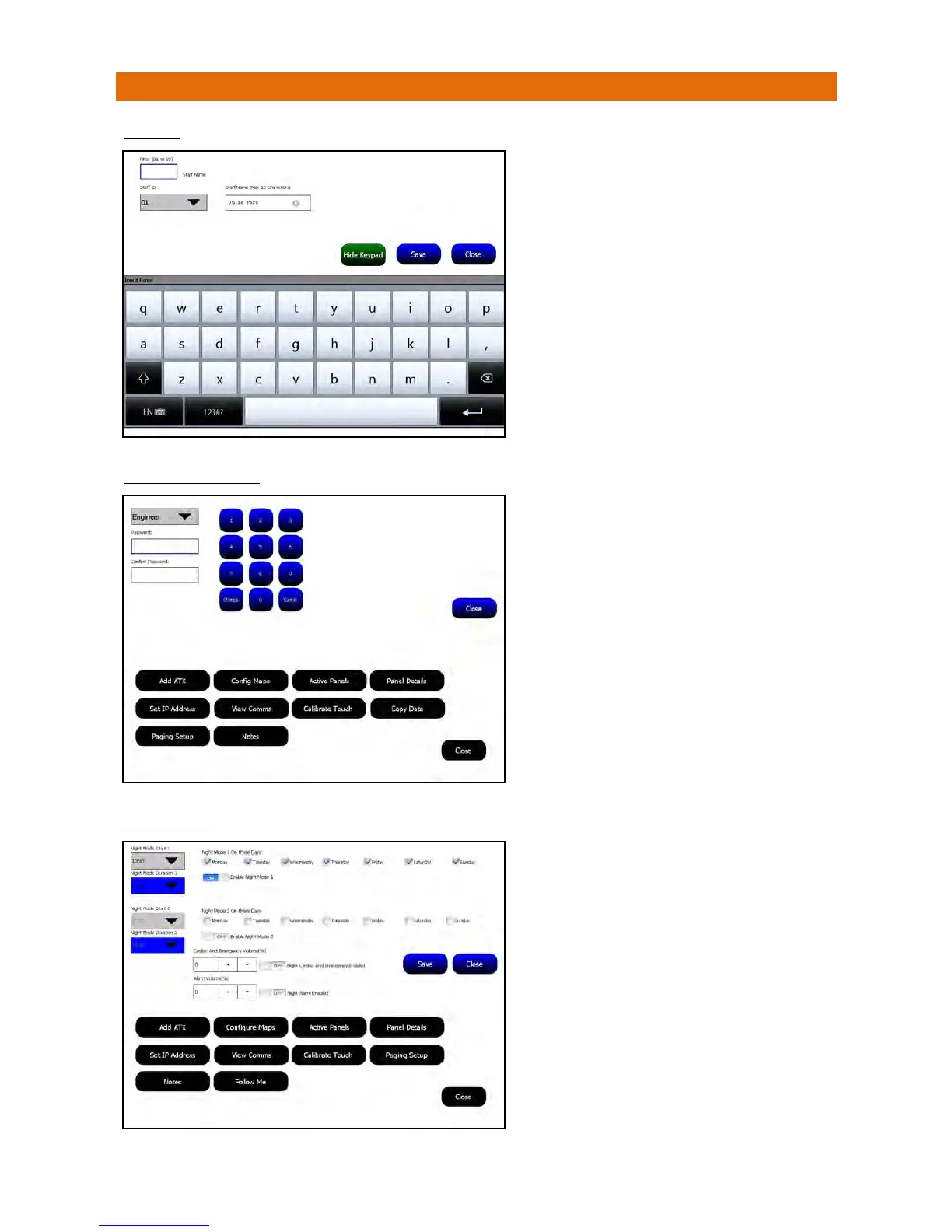
ThisallowsastaffnametobeassignedtoanInfra‐Red
BuddyIDoraBluebellPagerID.
Whenthesedevicesareused(toclearanalarmcall
downforexample)thestaffnameisrecordedagainst
thateventintheSystemLog.
SelecttheStaffIDyouwanttoassignanametofrom
thepull‐downbox(ortypetheIDintheFilterbox).
TheStaffID’sareassignedfrom01to99.
UsethekeypadtoentertheStaffName.
TouchSavewhendonethenClosetoexit.
Passwordsarea4digitnumberandcanbechangedif
theuserhaspermission.
Note:passwordschangedontheMasterpanelare
savedandsenttoallotherpanelsonthe Network.
AnEngineercanchangeallpasswords,aManagercan
changetheManagerandMatronpasswordsonlyanda
Matroncannotchangepasswords.
SelecttheUserpasswordyouwanttochangefromthe
pull‐downbox.
Usethekeypadtoenterthenewpassword(4digits)
intothePasswordboxthenenterthesamenumber
againintheConfirmPasswordboxbelow.
PresstheChangebuttonthenClosetoexit.
Thepanelcanbesettooperatethesame24hoursaday
(i.e.DayMode)oroperatedifferentlyineitherNight
Mode1orNightMode2.
SettheNightMode1Starttime,DurationandDayson
whichitappliesandrepeatforNightMode2ifrequired.
TherearebuttonstoEnableNightMode1orEnable
NightMode2independentlyorbothtogether.
IfNightMode2startswhileNightMode1isactivethen
NightMode1willtakepriority.
IfthepanelisoperatinginNightModeitispossibleto
settheCardiacandEmergencyVolumeto0,20%or40%.
Thiswilloverridethevolumesettingforthepanelin
“PanelSettings”.Thesameoptionisalsoavailableforall
otherAlarmVolumesinNightMode.
PresstheSavebuttonthenClosetoexit.



 To Next Page