32
CHAPTER 10
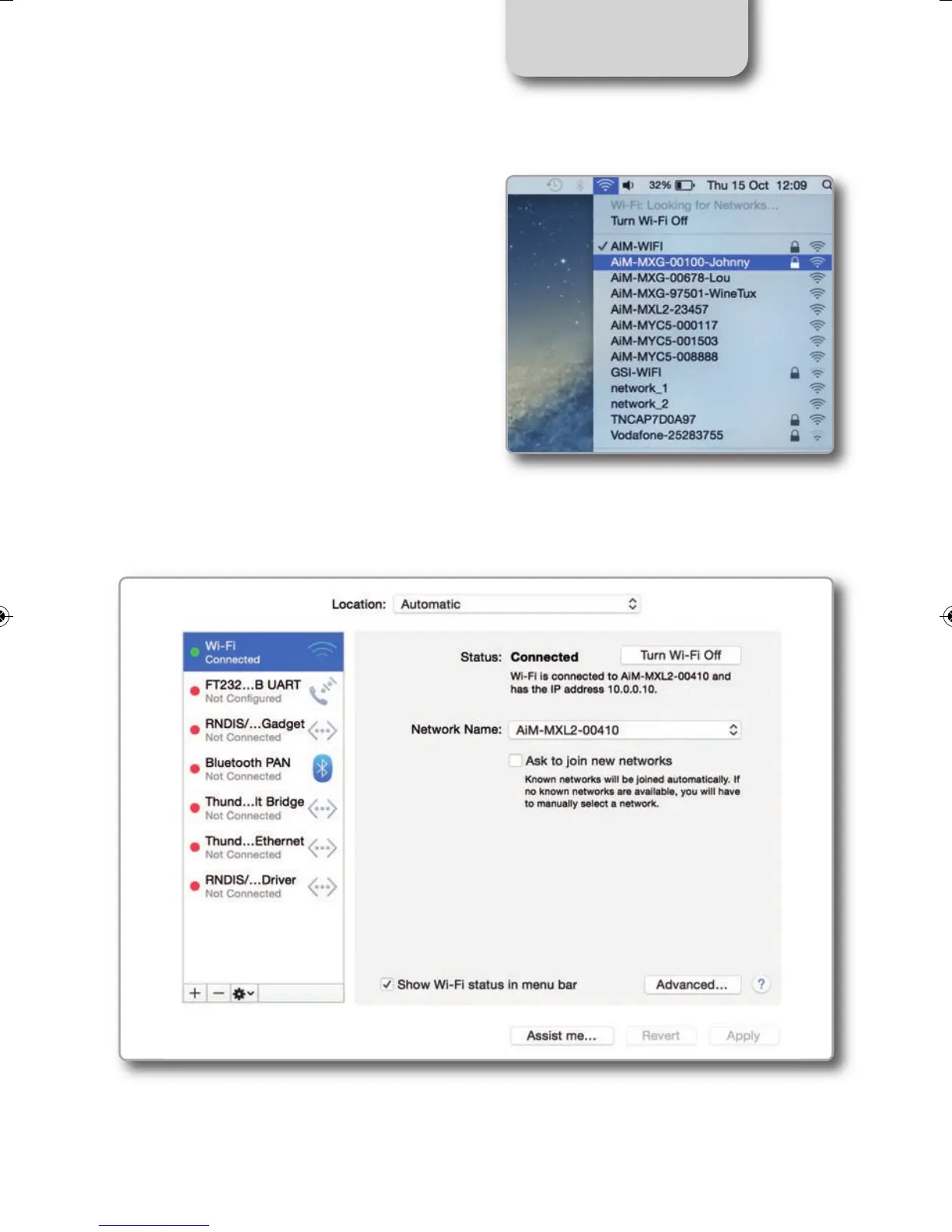
If you want to be sure the communication
is working, choose the
“Open Network Preferences…” menu.
In the window you are prompted verify that the status is shown as "Connected" and that the
given IP is, for example, 10.0.0.10 (it could be 10.0.0.11, 10.0.0.12 or generically 10.0.0.x).
MXL2 MANUALE ENG OK 2016.qxp_Layout 1 28/10/16 14:36 Pagina 33



 To Next Page