WIFI CONFIGURATION
31
MXL2
10.5 Working with Mac™ OS and Virtualized
Windows ™
RaceStudio3 software runs exclusively on
Windows operating systems but, if the OS
is virtualized on an Apple Mac OS too.
The main issue in this case is that the host
OS (Mac) shares the WiFi interface with the
virtualized OS (Windows) not as a WiFi
interface but as an Ethernet interface.
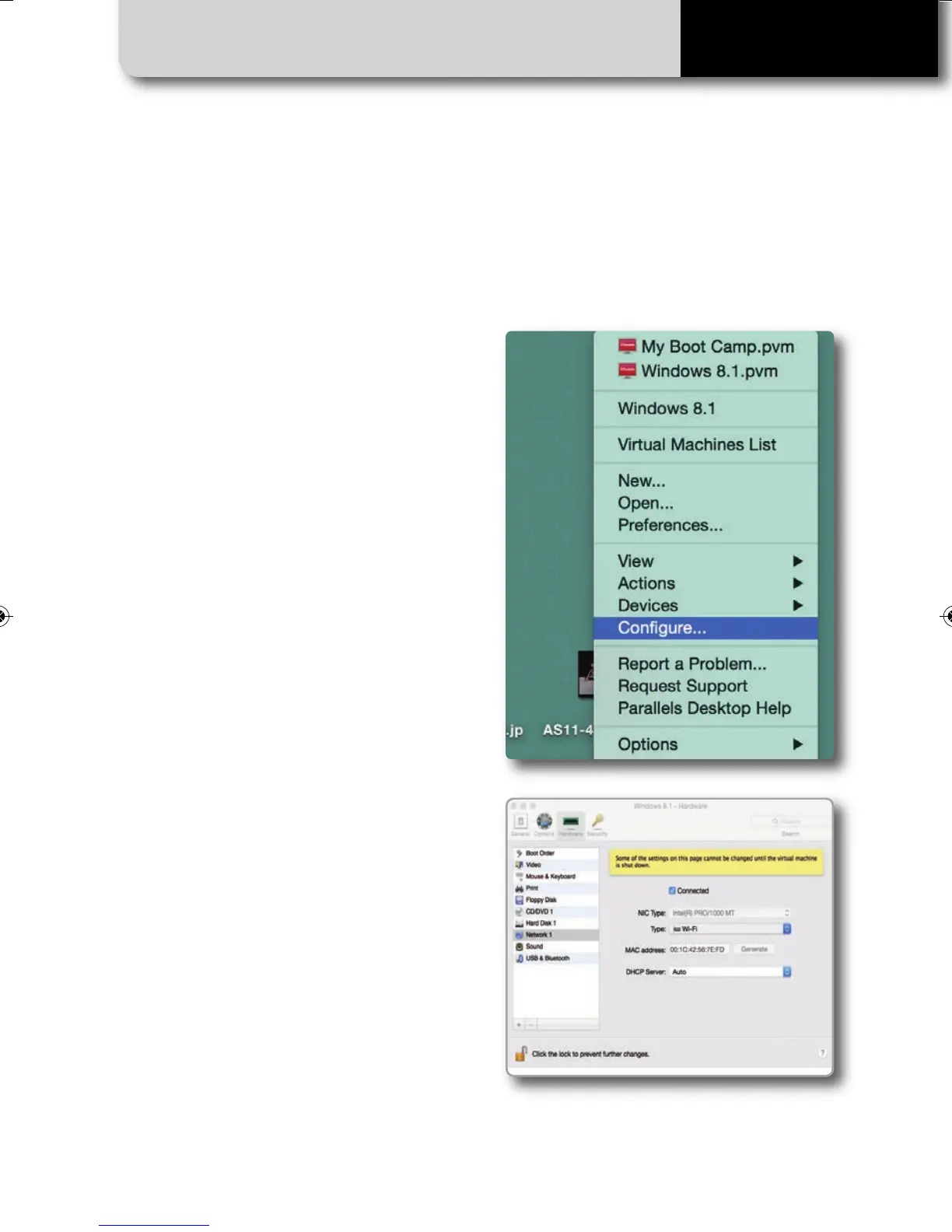
Configuring Parallels™
Choose “Configure…” option in Parallels
Menu.
In
the window you’re prompted, select
Hardware icon and then choose "Network"
option on the left.
In the right part of the window, be sure to
choose "Wi-Fi" in "Type" field.
Then choose the device you want to
communicate with.
MXL2 MANUALE ENG OK 2016.qxp_Layout 1 28/10/16 14:36 Pagina 32



 To Next Page