RACESTUDIO3 SOFTWARE
39
MXL2
11.1.4 Math Channels
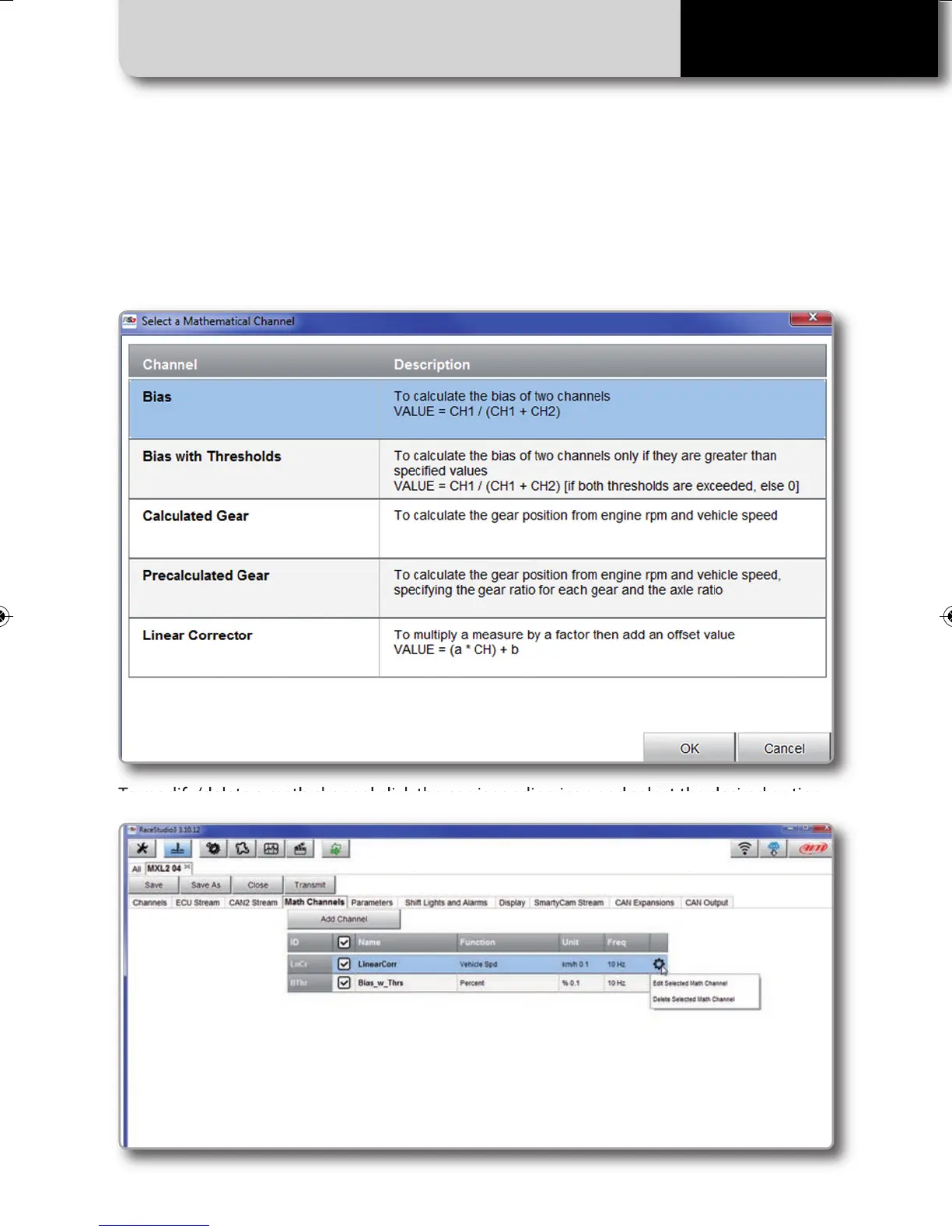
Press "Math channels" tab. Using the button "Add Channel" you can calculate the engaged
gear both with a learning lap (calculated gear) and filling in the RPM values (precalculated
gear). You can as well configure Bias channels and add linear corrector channels.
To modify/delete a math channel click the corrisponding icon and select the desired option.
MXL2 MANUALE ENG OK 2016.qxp_Layout 1 28/10/16 14:36 Pagina 40



 To Next Page