10
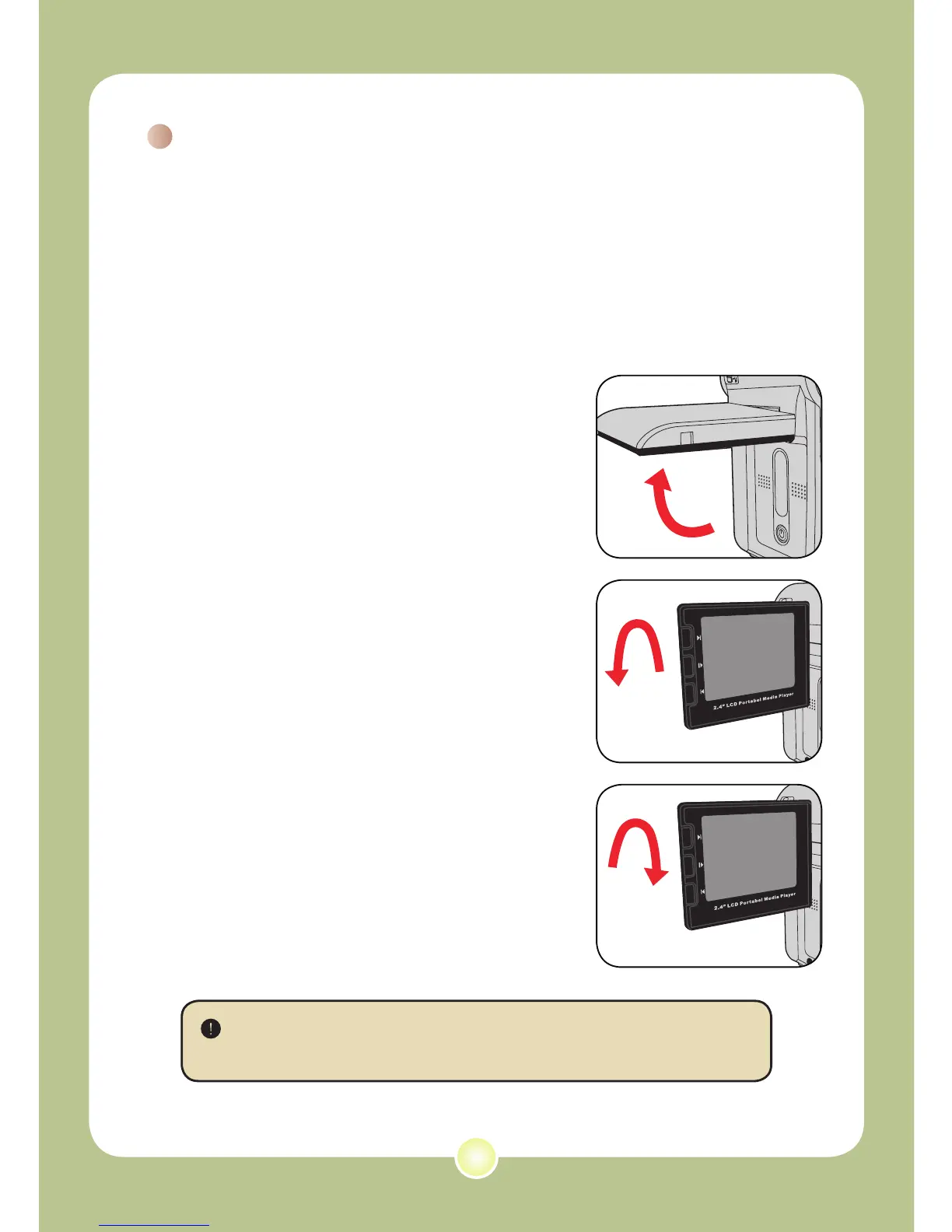
The LCD monitor can be used to
compose image settings for shooting,
to review recorded files, or to change
menu options.
The LCD monitor can be rotated to the
following positions:
1 Open the LCD monitor.
2 Rotate the LCD monitor.
The LCD monitor can be rotated up to 270
degrees as indicated. You can position the
panel at any angle to serve your filming
purpose.
Using the LCD monitor
When the LCD monitor is flipped over, the previewed image on the
LCD will be automatically adjusted.











 To Next Page