34
Connecting the camera to your PC
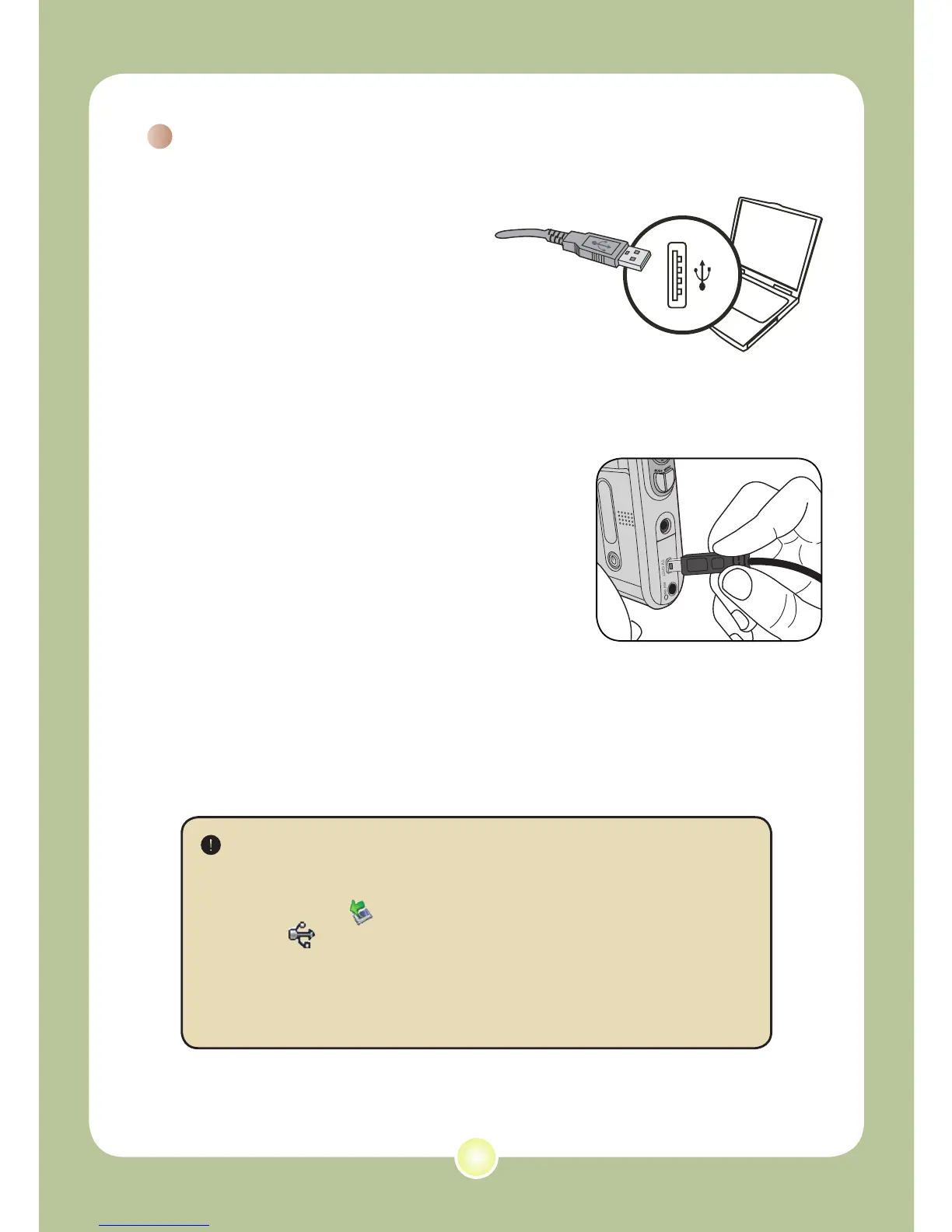
1 Connect the USB cable
to your computer.
Turn on your computer, and then
connect the accessory USB cable
to the USB port of your computer.
Make sure the cable and the port
are correctly aligned.
2 Turn on the camera.
3 Connect the USB cable to your
camera
Connect the other end of the USB cable to
your camera.
The default is set to “Disk” mode, if you would
like to set other modes as default, please
refer to “USB Mode” section on page 30 for
more information.
Notice for Windows 2000/XP/ME users:
If you want to disconnect the camera from your computer, please
follow these steps:
1. Double-click in the system tray.
2. Click (USB Disk), and then click Stop.
3. Select the camera when the confirmation screen appears and
click
OK.
4. Follow the on-screen instructions to safely disconnect the
camera from your computer.











 To Next Page