35
Copying files to the PC
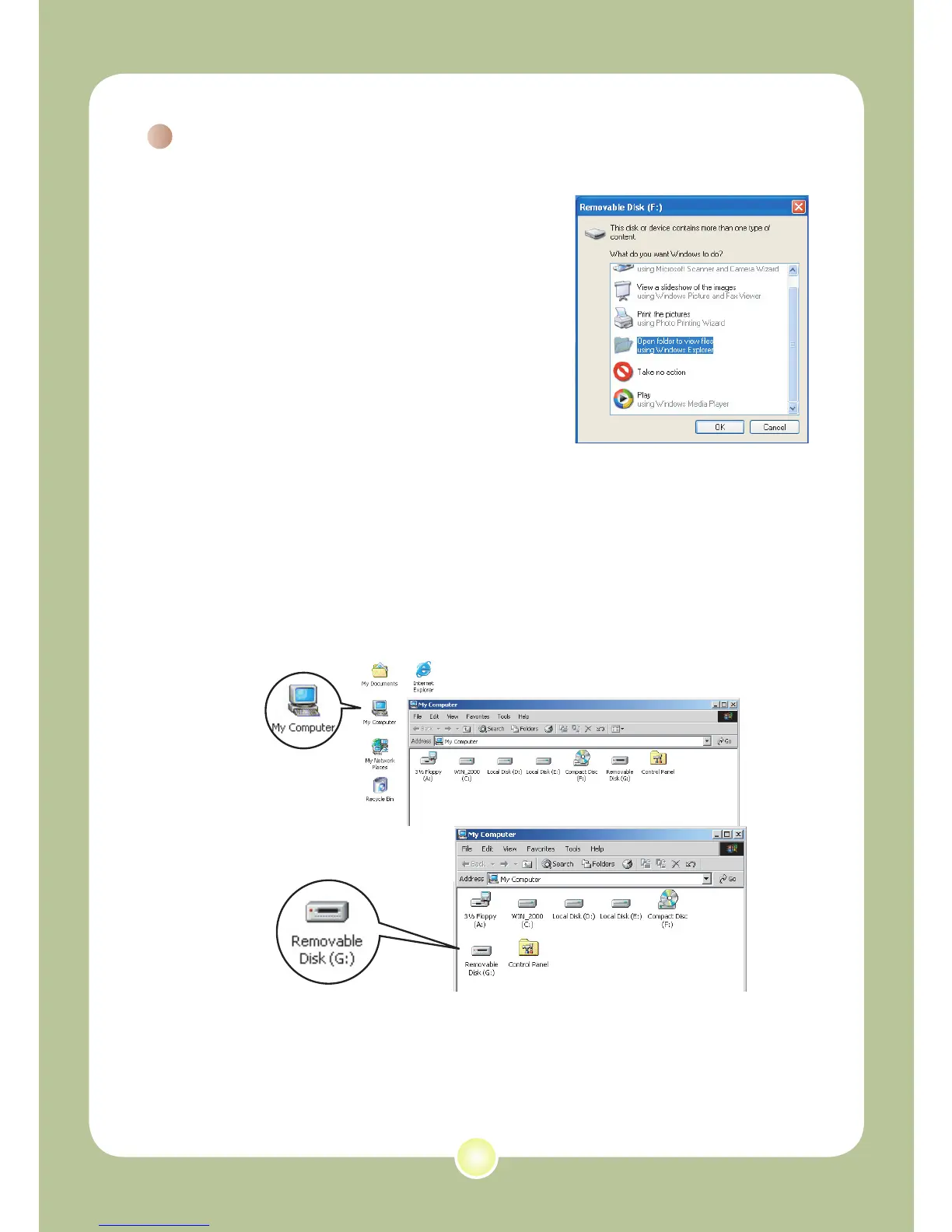
1 This step varies depending on your
operation system:
For Windows XP users:
After the camera is connected to your
computer, a dialogue window will appear
automatically. Please select the item
Open
folder to view files using Windows
Explorer and click OK.
For Windows 2000/ME/XP
users:
Double-click on My Computer. Then double-
click on the icon of the removable disk that
has just appeared.











 To Next Page