16
Recording a voice clip
1 Press the Mode button and use the Direction buttons
to select the Voice (
) mode. Then press the OK
key to enter.
2 Press the Record button to start recording.
Before or during recording, you can move the Direction buttons
toward left or right to adjust microphone sensibility, thus setting the
sound volume of the recording.
3 When you are done, press the Record button again
to stop recording.
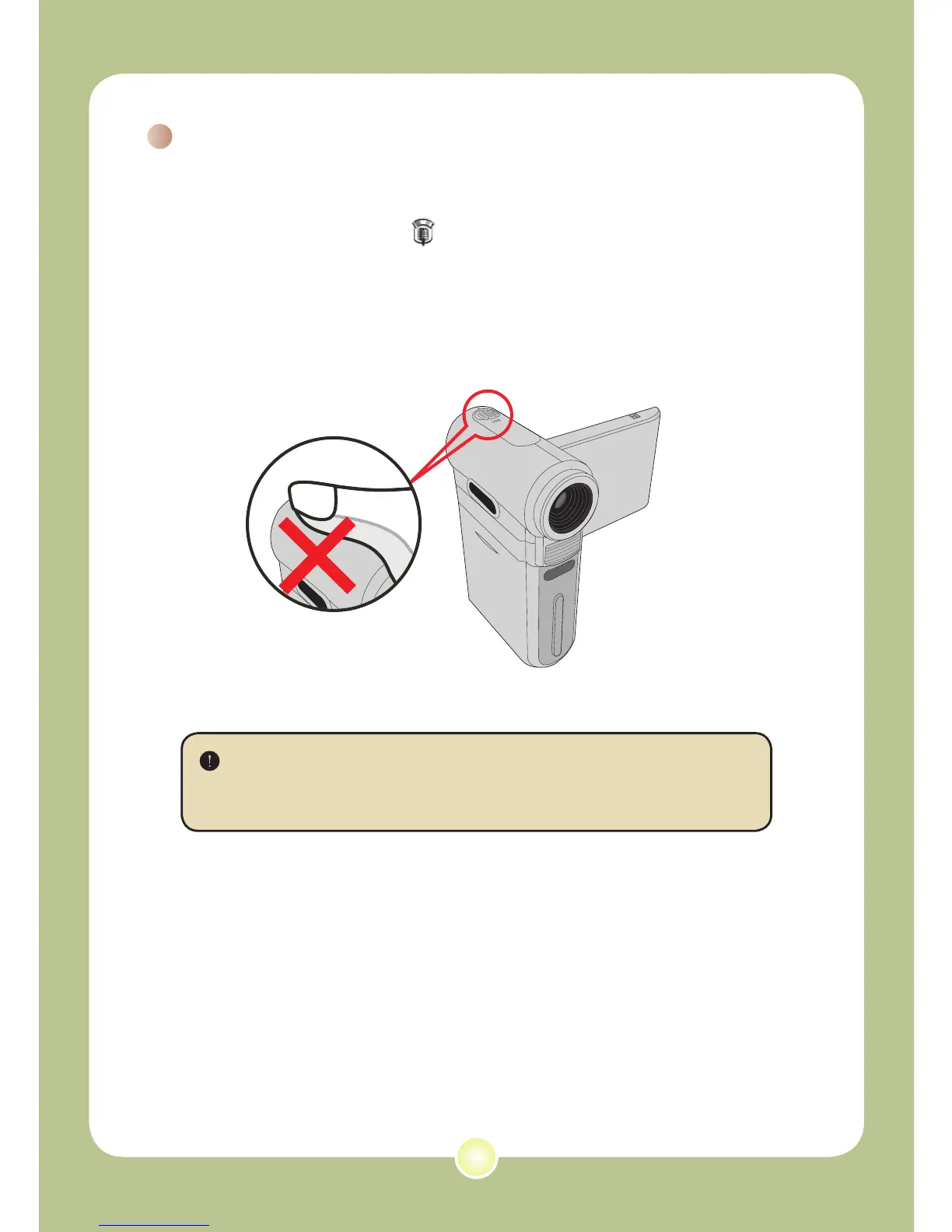
Avoid blocking the microphone











 To Next Page