13
Recording a video clip
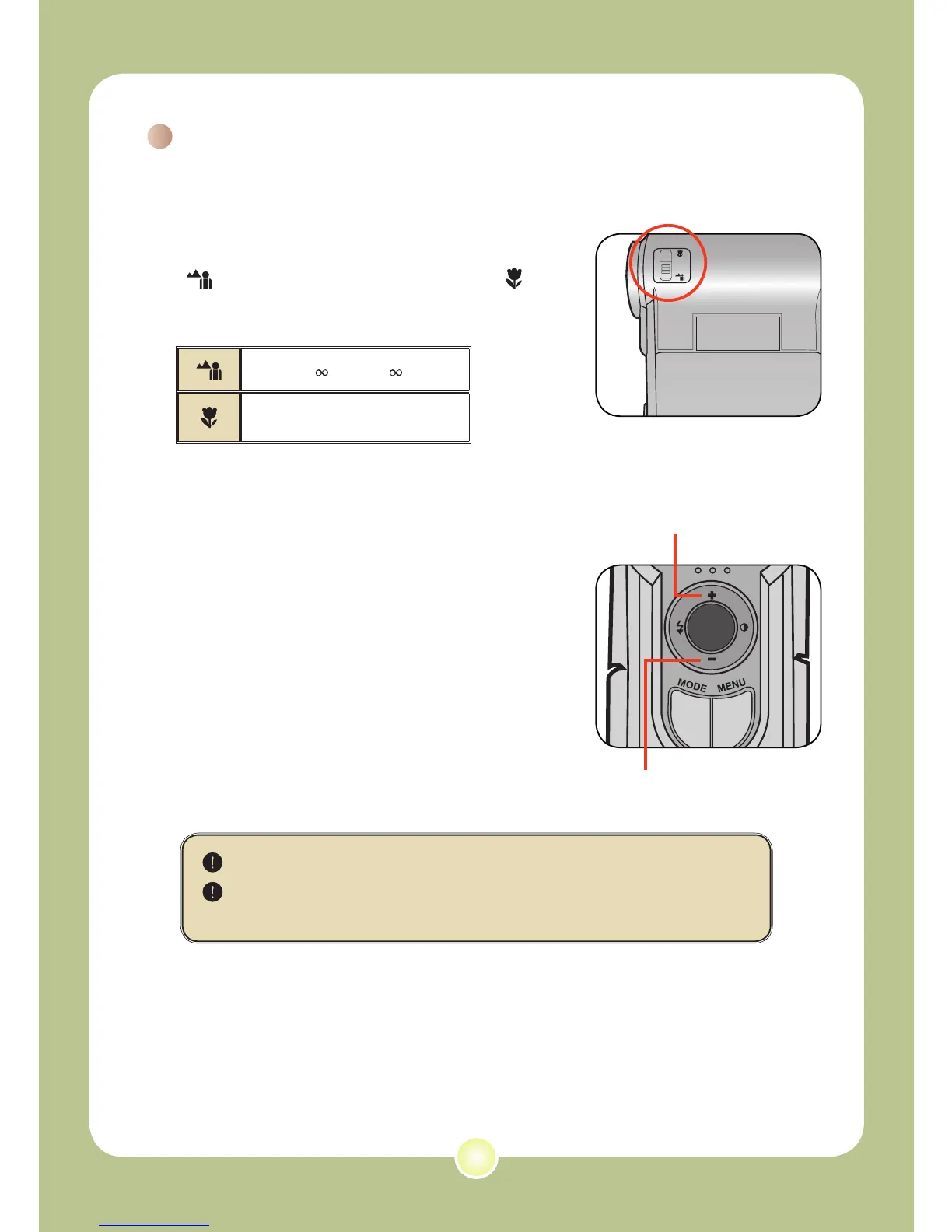
1 Adjust the focus.
Set the Focus Switch to an appropriate
setting. Normally, you should set the focus to
( ) for most filming conditions. Select (
) only for close-ups. The focus is adjustable
during recording.
70cm ~ (28” ~ )
50cm ~ 70cm (20” ~ 28”)
2 Zooming
Move the Direction buttons up or down
to zoom in or zoom out the screen. The
maximum magnification is 4
X.
The zoom function is also available during recording.
Adjust other advanced settings if necessary. See the section
“Advanced Operations” on page 22 for more information.
Zoom in
Zoom out











 To Next Page