15
Taking a still picture
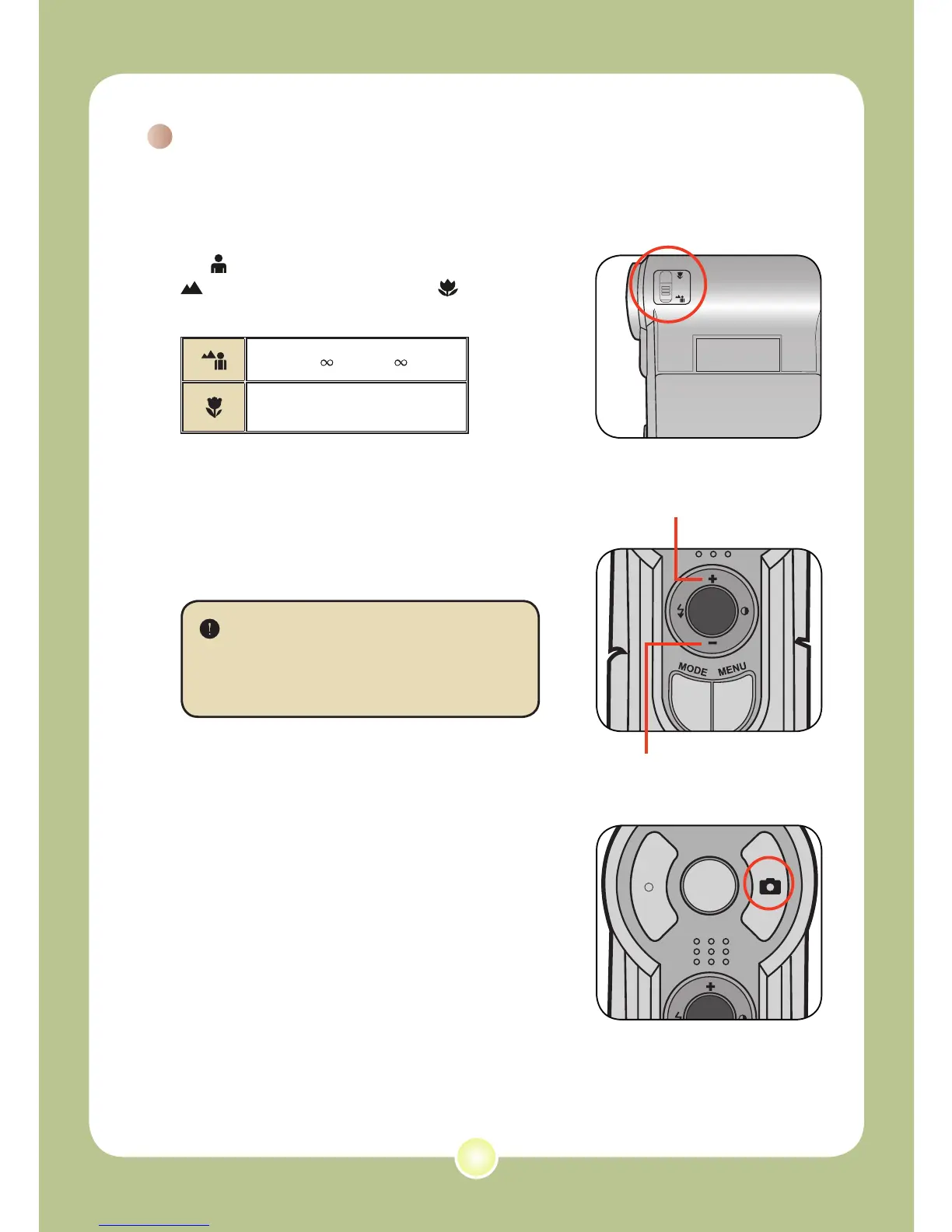
1 Adjust the focus.
Set the Focus Switch to an appropriate
setting. Normally, you should set the focus
to ( ) for most filming conditions. Select (
) for scenery photos. Select ( ) only for
close-ups.
70cm ~ (28” ~ )
50cm ~ 70cm (20” ~ 28”)
2 Zooming
Use the Zoom button or Up/Down key to
zoom in or zoom out the screen.
Adjust other advanced settings
if necessary. See the section
“Advanced Operations” on page 22
for more information.
3 Press the Shutter button to take
a still picture.
Zoom in
Zoom out











 To Next Page