21
Connecting the camera to a TV
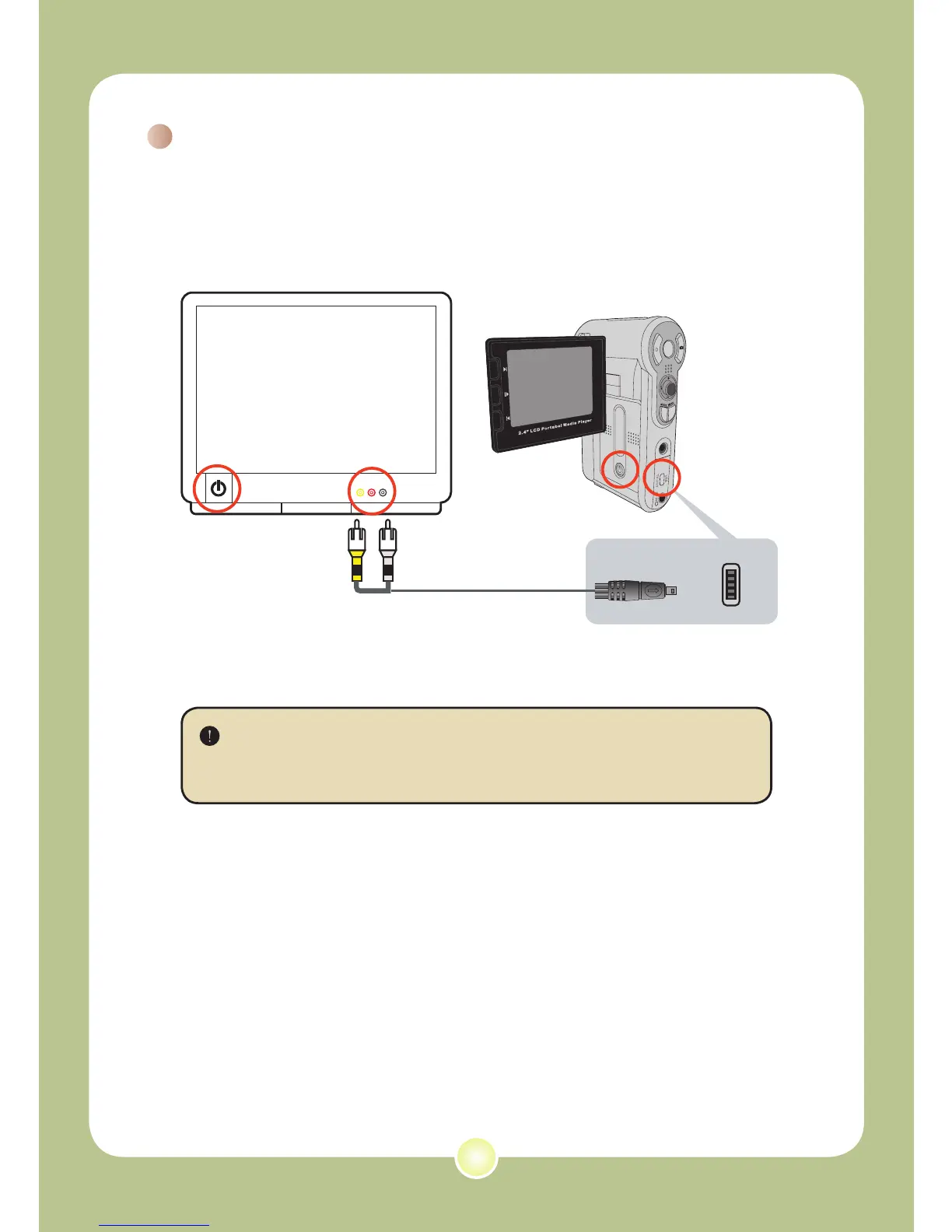
Connect your camera and TV via the accessory AV cable for
real-time display. You can display your video clips, still pictures,
and audio recordings directly on your TV, sharing them with your
friends and family.
1 Turn on your TV and switch the TV to AV mode.
The TV system is different across countries. To configure the TV-
out setting, please refer to page 29. (ex. Taiwan/America: NTSC;
Europe/China: PAL)
2 Connect the audio and video ends of the AV cable to the TV.
3 Turn on the camera.
4 Connect the other end of the AV cable to your camera.
2
3
4
1











 To Next Page