Air Techniques, Inc.
Page
48
Troubleshooting
Problem Probable cause Solution
X-ray image has strips on
image
PSP has been pre-exposed, e.g.
by natural radiation or stray X-ray
radiation
• If the PSP has been stored for more than one
week, erase the PSP prior to use.
Parts of PSP exposed to light
during handling
• Do not expose exposed PSPs to bright light.
• Scan image data within half an hour after the
exposure.
PSP dirty or scratched • Clean the PSP.
• Replace scratched PSP.
Bright stripes in the scanning
window
Too much incident ambient light
during the scanning process
• Darken the room.
• Turn the unit such that no light is directly incident
on the input unit.
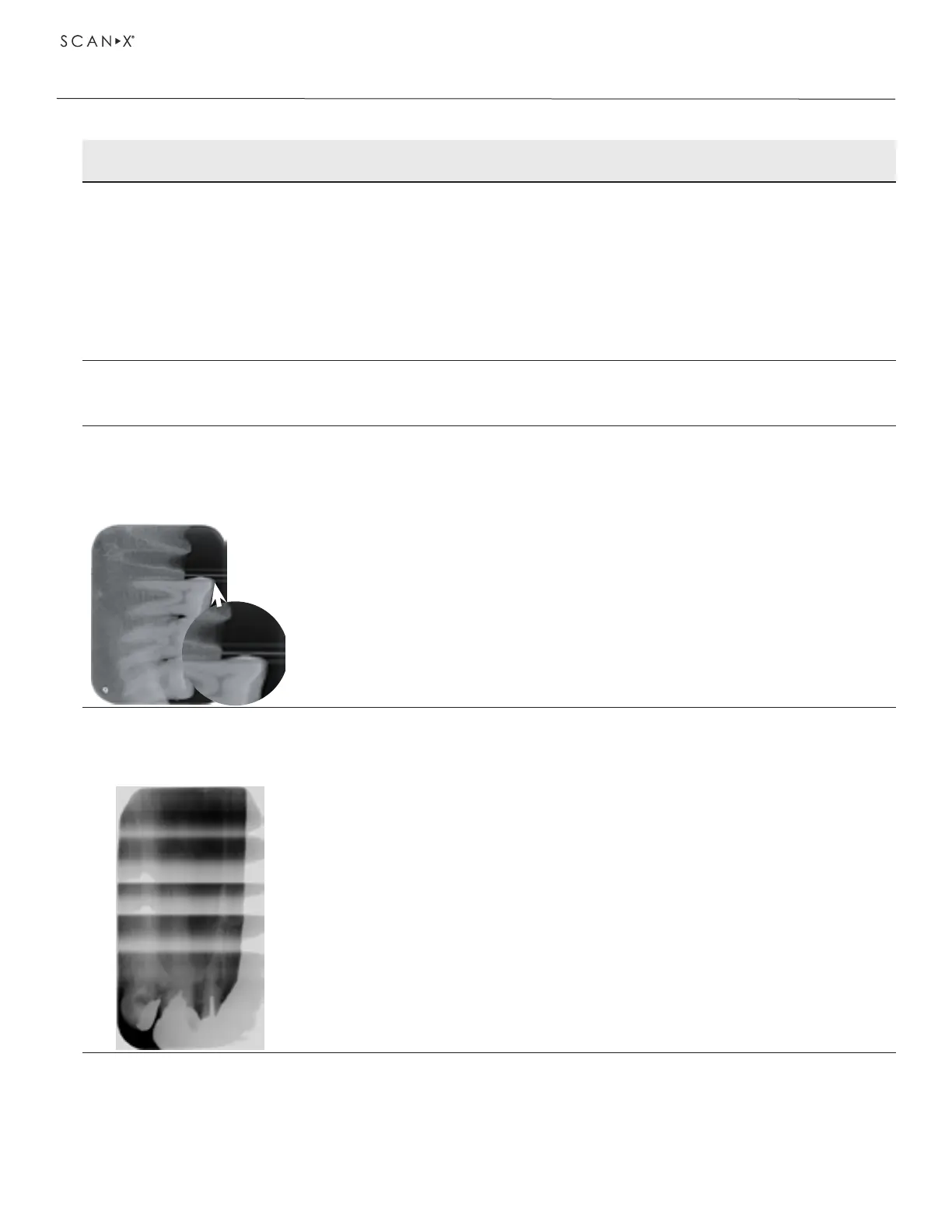
Horizontal, grey lines in
the X-ray image, extending
beyond the left and right
image edge
Transport slipping • Clean the transport mechanism, replace the
transport belts if necessary.
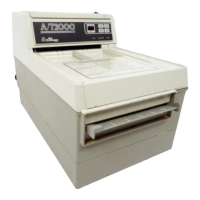
X-ray image is stretched
lengthwise with bright,
horizontal stripes
Wrong barrier envelope or PSP
used
• Only use original accessories.


 To Next Page