41
For IE, the display will look as below:
Figure 9
.4
For Safari, Chrome, Firefox, the display will look as below:
Figure 9
.5
● DNS Server: Set DNS server.
● MAC Address: MAC address of the IP Camera.
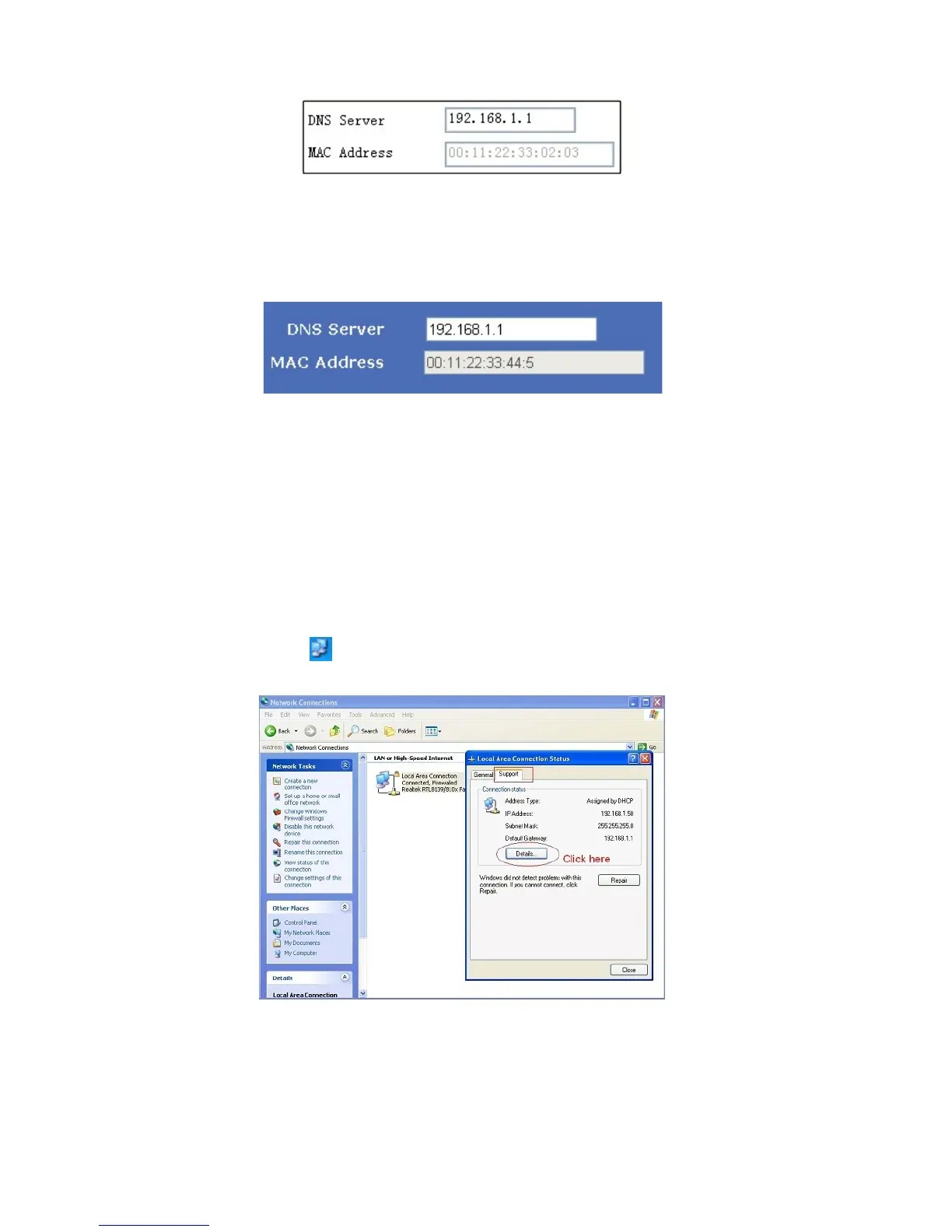
If you don’t know Subnet Mask, Gateway, DNS Server. Please check the Local Area Connection Status of your
computer; it contains all this information, steps as below:
1. Control Panel > Network Connections > Local Area Connections > Support > Details
2.
Fi
nd the local connection icon
from taskbar, left click it, choose Support > Details
Figure 9.6



 To Next Page