AirSpeed 2900 gNB 5G OD Installation Guide
© Copyright Airspan Networks Ltd., 2021 P/N DUG01085 Rev. A, Nov 2021
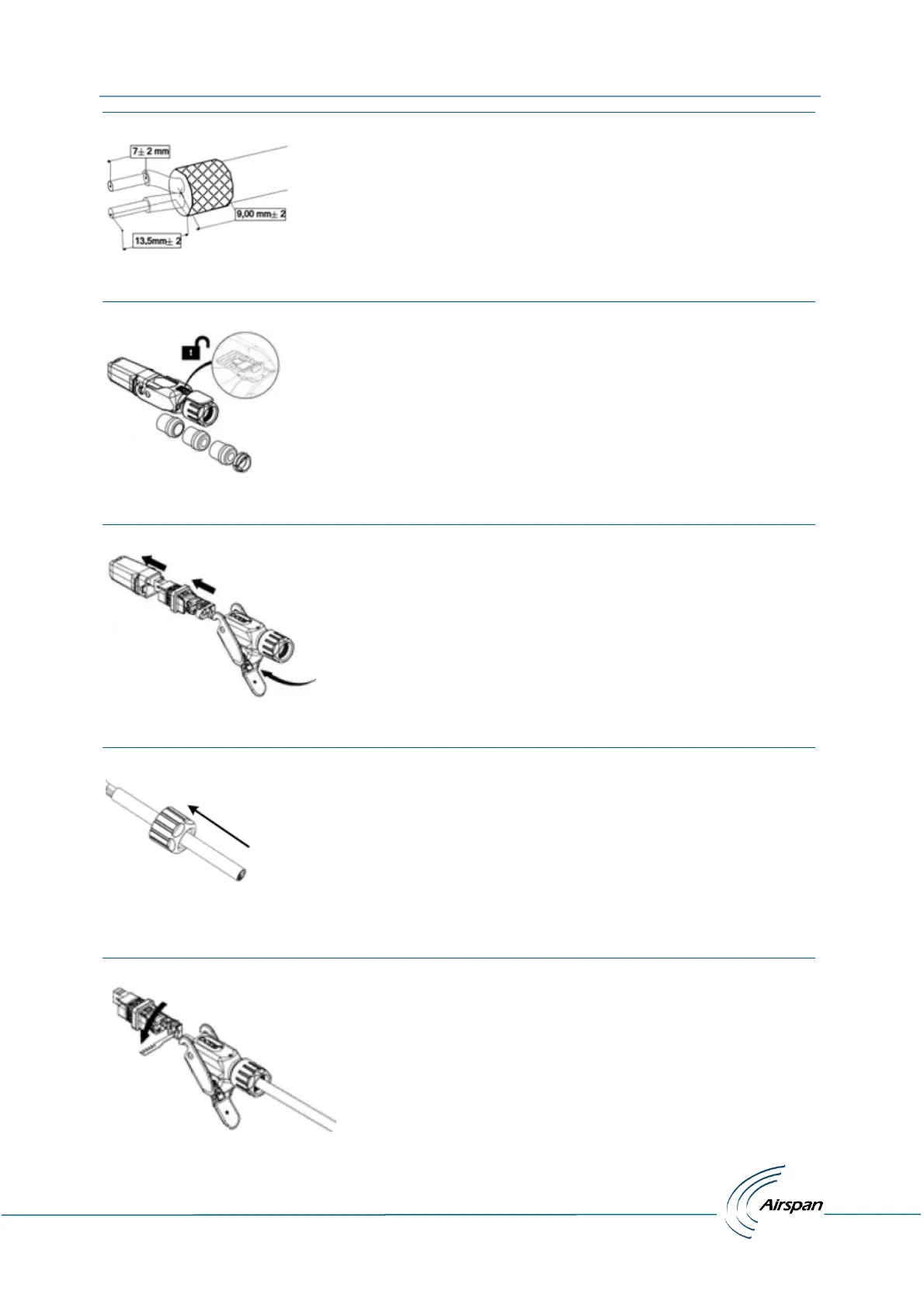
Figure 14: Stripping Dimensions (DC Cable)
2. Open the housing lock by sliding up then lift the clamp handle.
Figure 15: Open Housing Lock
3. Separate the housing into its component sections.
Figure 16: Separate into Sections
4. Insert the Gland nut through the other end of the cable.
Figure 17: Insert Gland Nut
5. Loosen the strap clamp and feed the prepared end of the source power cable into the inner
part of the DC connector housing.
Figure 18: Pass DC Cable Thru


 To Next Page