AirSpeed 2900 gNB 5G OD Installation Guide
© Copyright Airspan Networks Ltd., 2021 P/N DUG01085 Rev. A, Nov 2021
6. Secure the prepared ends of the cable into the inner part of the connector housing and
tighten the 2 screws.
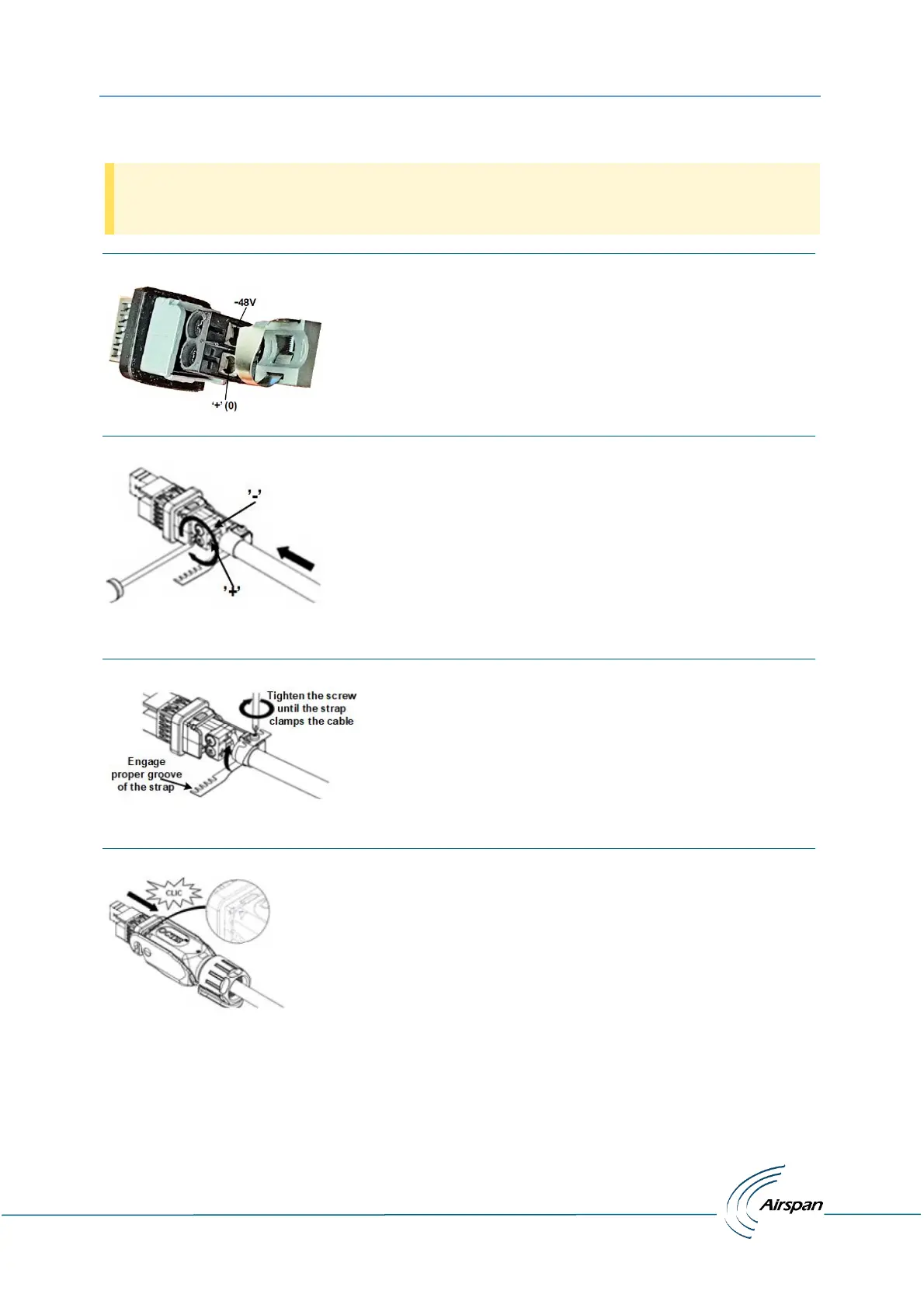
Verify the wire polarity before securing, as shown in figure 19.
Figure 19: Power Wire Connection
Figure 20: Tightening of Set Screws
7. Tighten the strap clamp screw as shown below.
Figure 21: Tighten the Strap Clamp
8. Insert into outer housing until “click” in place, align marks for proper alignment.
Figure 22: Align Marks + Click in Place
9. Place the split rubber gland onto the cable.


 To Next Page