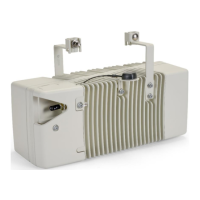
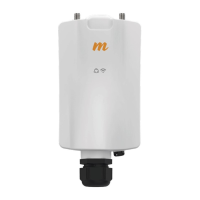
AirSpeed 2900 gNB 5G OD Installation Guide
© Copyright Airspan Networks Ltd., 2021 P/N DUG01085 Rev. A, Nov 2021
2.2.6 Environmental ............................................................................................................... 21
3 AirSpeed 2900 Installation ............................................................................................... 22
3.1 Connecting the GPS Antenna ........................................................................................... 22
3.1.1 Weather-proofing the GPS Antenna Connection ........................................................ 22
3.2 Tilt bracket Assembly........................................................................................................ 22
3.3 Pole Mounting Assembly .................................................................................................. 23
3.4 Wall Mount Assembly....................................................................................................... 26
3.5 Tilt Adjustment ................................................................................................................. 27
4 Connect and Manage Cables ........................................................................................... 28
4.1 Grounding ......................................................................................................................... 28
4.2 LED Display ........................................................................................................................ 29
4.3 Single Mode LC Cable Insertion ....................................................................................... 30
4.4 DC Cable Preparation ....................................................................................................... 30
Appendix A. Installation Checklist ............................................................................................ 34
Appendix B. Abbreviations ....................................................................................................... 35
FIGURES
Figure 1: AirSpeed 2900 with GPS attached ............................................................................................... 16
Figure 2: AirSpeed 2900 Top Ports (with integrated antenna) .................................................................. 19
Figure 3: AirSpeed 2900 Bottom Ports ........................................................................................................ 20
Figure 4: Environmental and Standard Compliance ................................................................................... 21
Figure 5: Tilt bracket Assembly .................................................................................................................... 23
Figure 6: Position on Pole............................................................................................................................. 24
Figure 7: Mounting Bracket on Pole ............................................................................................................ 24
Figure 8: Pole Mounting Assembly .............................................................................................................. 25
Figure 9: Mounted on Pole .......................................................................................................................... 25
Figure 10: AirSpeed on Wall ......................................................................................................................... 26
Figure 11: Tilt Adjustment ............................................................................................................................ 27
Figure 12: Ground Connection..................................................................................................................... 28
Figure 13: Pre-assembled Single Mode LC Cable ........................................................................................ 30
Figure 14: Stripping Dimensions (DC Cable)................................................................................................ 31
Figure 15: Open Housing Lock ..................................................................................................................... 31
Figure 16: Separate into Sections ................................................................................................................ 31
Figure 17: Insert Gland Nut .......................................................................................................................... 31
Figure 18: Pass DC Cable Thru ..................................................................................................................... 31
Figure 19: Power Wire Connection.............................................................................................................. 32
Figure 20: Tightening of Set Screws ............................................................................................................ 32
Figure 21: Tighten the Strap Clamp ............................................................................................................. 32
Figure 22: Align Marks + Click in Place ........................................................................................................ 32
Figure 23: Place Split Rubber Gland ............................................................................................................ 33
Figure 24: Place Tightening Cone on Split Gland ........................................................................................ 33
Figure 25: Tighten gland Nut ....................................................................................................................... 33
Figure 26: Secure Housing Lock ................................................................................................................... 33


 To Next Page