Mounting the ProST
27
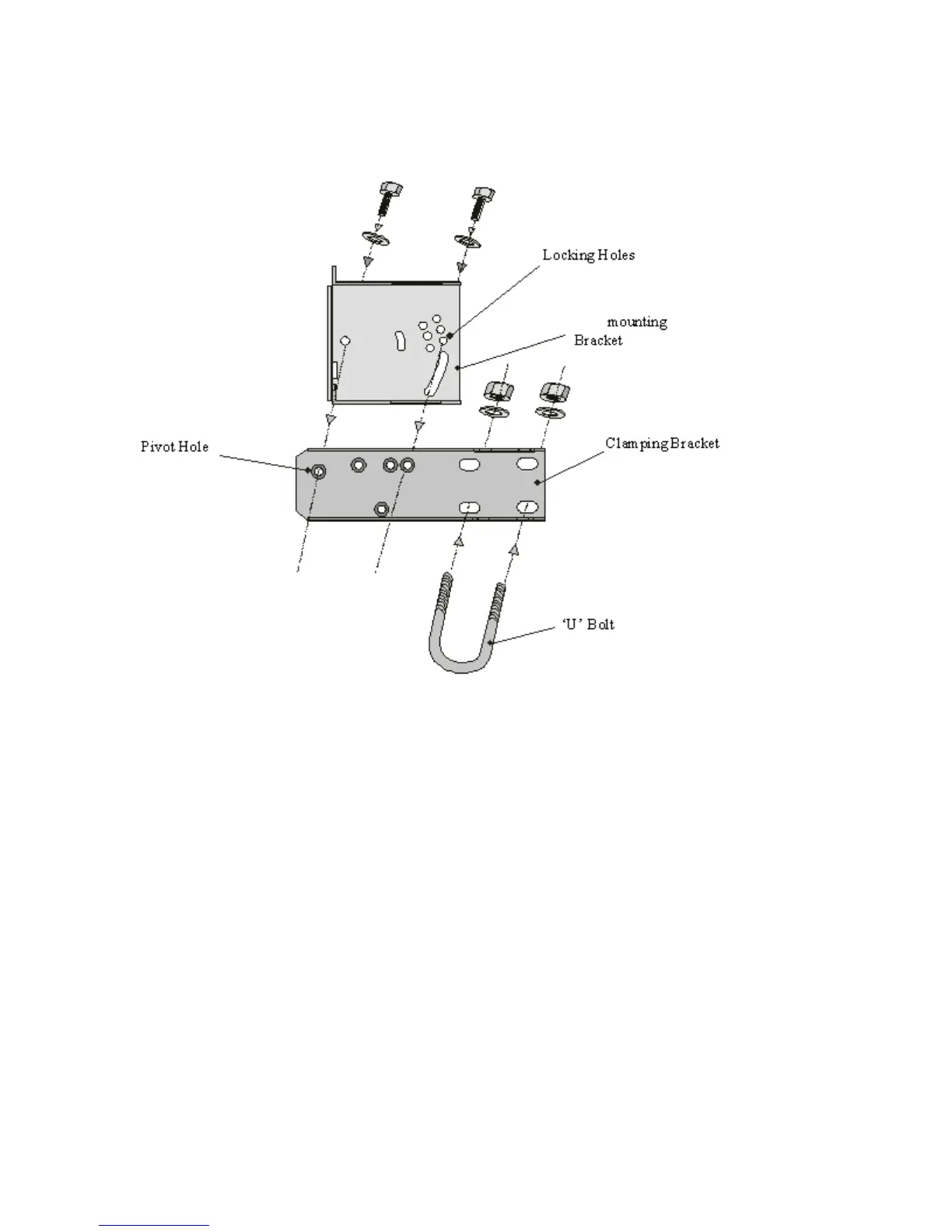
on the ProST's back panel and the supplied (when ordered) pole-mounting brackets. The pole-
mounting bracket is designed to support the ProST on a round pole of 45 mm in diameter.
The figure below illustrates a summary of the ProST pole-mounting procedure.
To pole mount the ProST:
1. Attach the mounting bracket to the ProST:
a. Align the mounting bracket with the ProST's mounting holes so that the mounting
bracket's side with the built-in nut is aligned with the ProST's mounting holes furthest
from the ProST's bottom panel, as shown in the figure below.
b. Slide an M10-flat washer and M10-spring lock washer onto an M10-hex head screw
(ensure spring lock washer is closest to the bolt's head). From the external side, insert
the M10-hex head screw through the mounting bracket and ProST's mounting holes.
Fasten the M10-hex head screw (one is provided with a built-in nut while the other
requires you to insert an M10-hex nut into the ProST's mounting hole).



 To Next Page