47
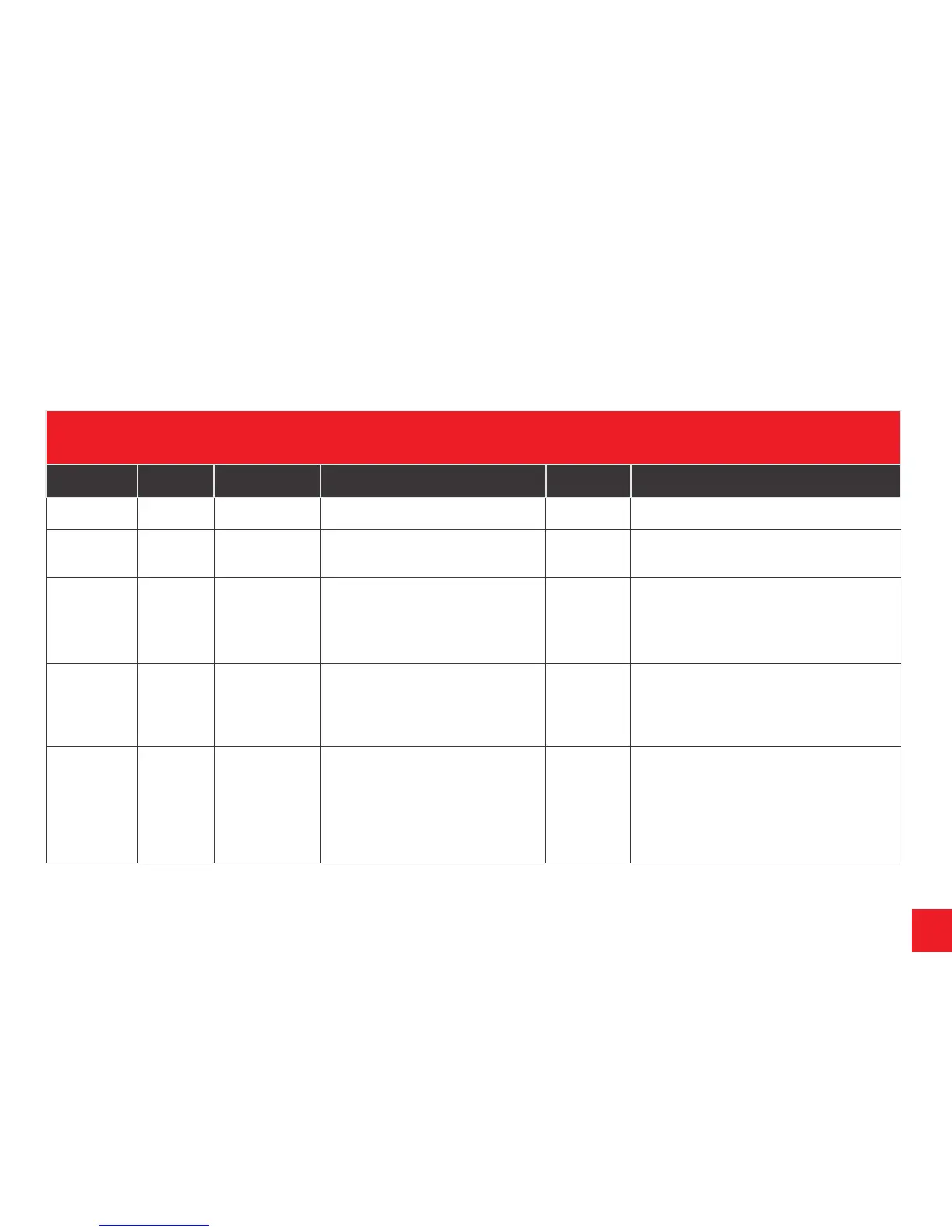
TABLE 4 ATC
LED COLOUR ATC DIAGNOSIS WHAT TO DO OUTCOME STATUS
GREEN ATC Active Everything ok
GREEN
FLASHING
ATC Active Self test
incomplete
Drive forward to detect movement to
complete self test and re check LED
Green
(Constant)
Ready for journey
RED ATC
Inactive
Possible to
continue
journey
Remove 12S or 13 Pin plug and wait
5 seconds.
Reconnect plug.
Green
Red
Ready for journey
ATC Error logle memory exceeded. Caravan
can be towed, but ATC will not function.*
RED
FLASHING
ATC has
detected
a fault
Don’t continue
with ATC
connected
Remove 12S or 13 Pin plug and wait
5 seconds.
Reconnect the plug.
Green
Red
(Flashing)
Ready for journey
ATC faulty, and cannot be driven. Remove
push-rod. Contact AL-KO.
LED NOT
WORKING
ATC has no
power
LED Faulty
Check push rod
position before
continuing.
Remove 12S or 13 Pin plug and wait
5 seconds. Reconnect the plug.
Check for constant live - refer to
system requirements.
Green
Not working
Ready for journey
If power ok, check push rod position:
Red line visible - do not drive vehicle.
Red line not visible - possible to continue
journey but contact AL-KO.
TROUBLE SHOOTING & FAULT FINDING
* ATC stores operating errors in a logle which over time will become full and will result in the solid red light appearing. This needs to be erased and can be done easily by
connecting the caravan to a 12 volt supply for a period of 12 hours. The power required to carry out this function is minimal. Most occurrences of these errors are due to
power supply problems to ATC which could be due to low voltage, or an intermittent power supply from the towbar.


 To Previous Page