46 English
INSTANT CHANNELS
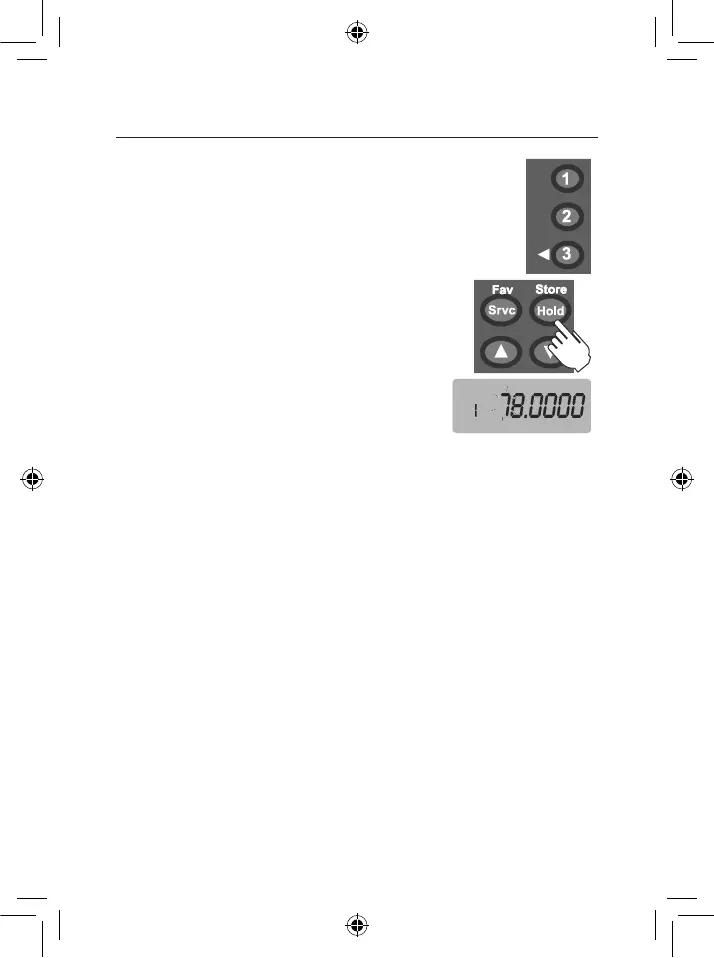
The INSTANT channels are 3 one-touch keys to store your 3 most
important favourite frequencies. The channels remain empty until
you store a frequency to them.
At any time press (1), (2) or (3) to select the instant channel.
To store an Instant channel:
1. Select the desired Instant channel (1), (2) or (3);
2. Press & hold (Store) to enter the STORE mode. The
,&-(.7<,'&-+-('P./),/1
3. 9/,'(),'ZKXKYK['B,?/'(#'/,<,0('(),'&,/-*,&'
frequency.
4. Press & hold (Store) to store the frequency to the
instant channel.
Ex: Display instant channel
number to a channel number
indication segment.
To store a frequency that is displayed during SCAN mode to an Instant
channel
! Press & hold (1), (2) or (3) to immediately store that frequency to the Instant key.
To clear the Instant channel
! Press & hold (Store) to enter the STORE mode in instant channel.
! Press & hold (Clr) to clear the frequency.
SERVICE SCAN
The Service mode scans the 9 pre-programmed SERVICE banks
EMG Emergency (EMG) AIR Aircraft Band
FRN Freenet (FRN) MRN Marine Band
PMR PMR 446 V-HI VHF High Band
V-LO VHF Low Band UHF UHF Band
FM FM Radio Broadcast
OPERATION


 To Next Page