50 English
EDITING FREQUENCIES
1. Go to a desired Favourites or Instant channel.
2. Press & hold (Store) to enter the STORE mode. The
,&-(.7<,'&-+-('P./),/1
3. 9/,'(),'ZKXKYK['B,?/'(#',&-('(),'"*,8$,%0?1
4. Press & hold (Store) to store the frequency.
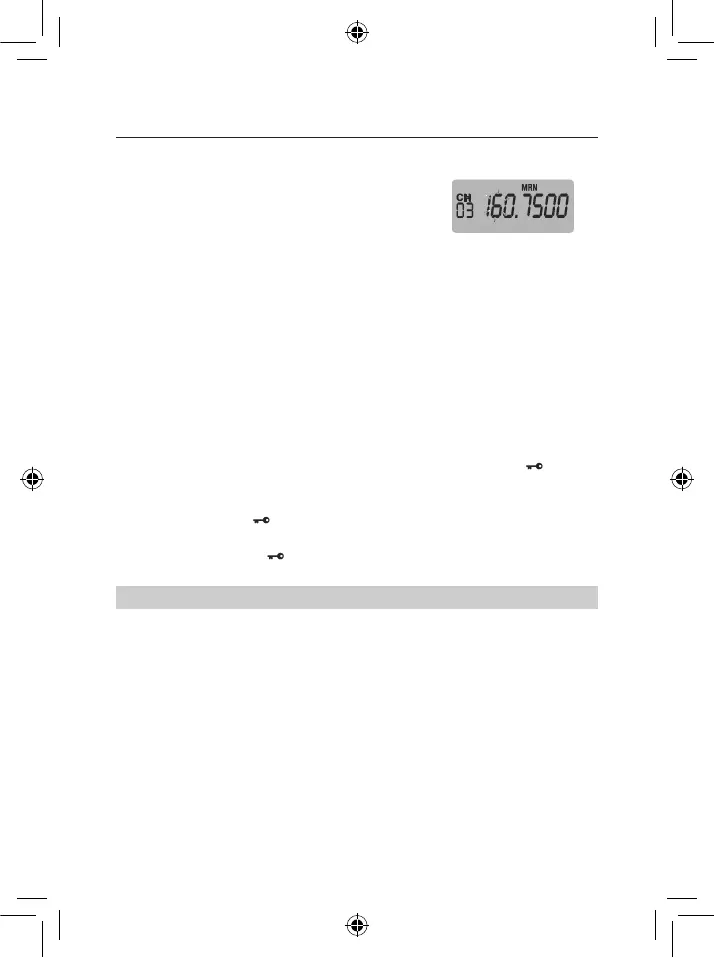
Ex: Edit Favourites,
Select Desired
Frequency CH 03 (MRN)
To clear the Favourite or Instant channel
1. Go to a desired Favourites or Instant channel.
2. Press & hold (Store) to enter the STORE mode.
2),',&-(.7<,'&-+-('P./),/1
3. Press & hold (Clr) to clear the frequency..
USING KEYLOCK
Use the scanner’s keylock to protect it from accidental program changes. When the
scanner’s keys are locked, the only controls that operate are (Vol / Sq / Stp /
), (Light /
Pwr)'.%&'XKY'4),%'L#<$3,'#*'/8$,<0)'<,L,<'-/'&-/5<.?,&1
! Press & hold (Vol / )'(#'($*%'B,?'<#0B'#%K#>1
M'0#%6*3.(-#%'(#%,'/#$%&/1' appears while key lock is on.
NOTE: Using keylock does not prevent the scanner from scanning channels.
USING THE DISPLAY BACKLIGHT
! Press (Light/Pwr)'(#'($*%'(),'7.0B<-+)('#%K#>1'2),'7.0B<-+)('-/'#>'4),%'5#4,*'-/'
turned on. The display lights for 30 seconds when backlight is turned on.
OPERATION


 To Next Page